<?xml version="1.0" encoding="utf-8"?><feed xmlns="http://www.w3.org/2005/Atom" ><generator uri="https://jekyllrb.com/" version="4.3.2">Jekyll</generator><link href="https://railsexplained.com/feed.pages.xml" rel="self" type="application/atom+xml" /><link href="https://railsexplained.com/" rel="alternate" type="text/html" /><updated>2024-10-01T12:19:43+00:00</updated><id>https://railsexplained.com/feed.pages.xml</id><title type="html">Rails Explained | Pages</title><subtitle>Explaining Ruby and Rails things using stories, drawings and code.</subtitle><entry><title type="html">Unpacking bundler</title><link href="https://railsexplained.com/pages/unpacking-bundler/" rel="alternate" type="text/html" title="Unpacking bundler" /><published>2024-09-24T00:00:00+00:00</published><updated>2024-09-24T00:00:00+00:00</updated><id>https://railsexplained.com/pages/unpacking-bundler</id><content type="html" xml:base="https://railsexplained.com/pages/unpacking-bundler/"><![CDATA[<p><strong><em>This post is the final part of our 4 part series on loading code in Ruby. You can find the other parts here: <a href="/pages/loading-files-in-ruby/">Part 1</a>, <a href="/pages/loading-files-in-rails/">Part 2</a>, <a href="/pages/hunting-for-gems/">Part 3</a>.</em></strong></p>

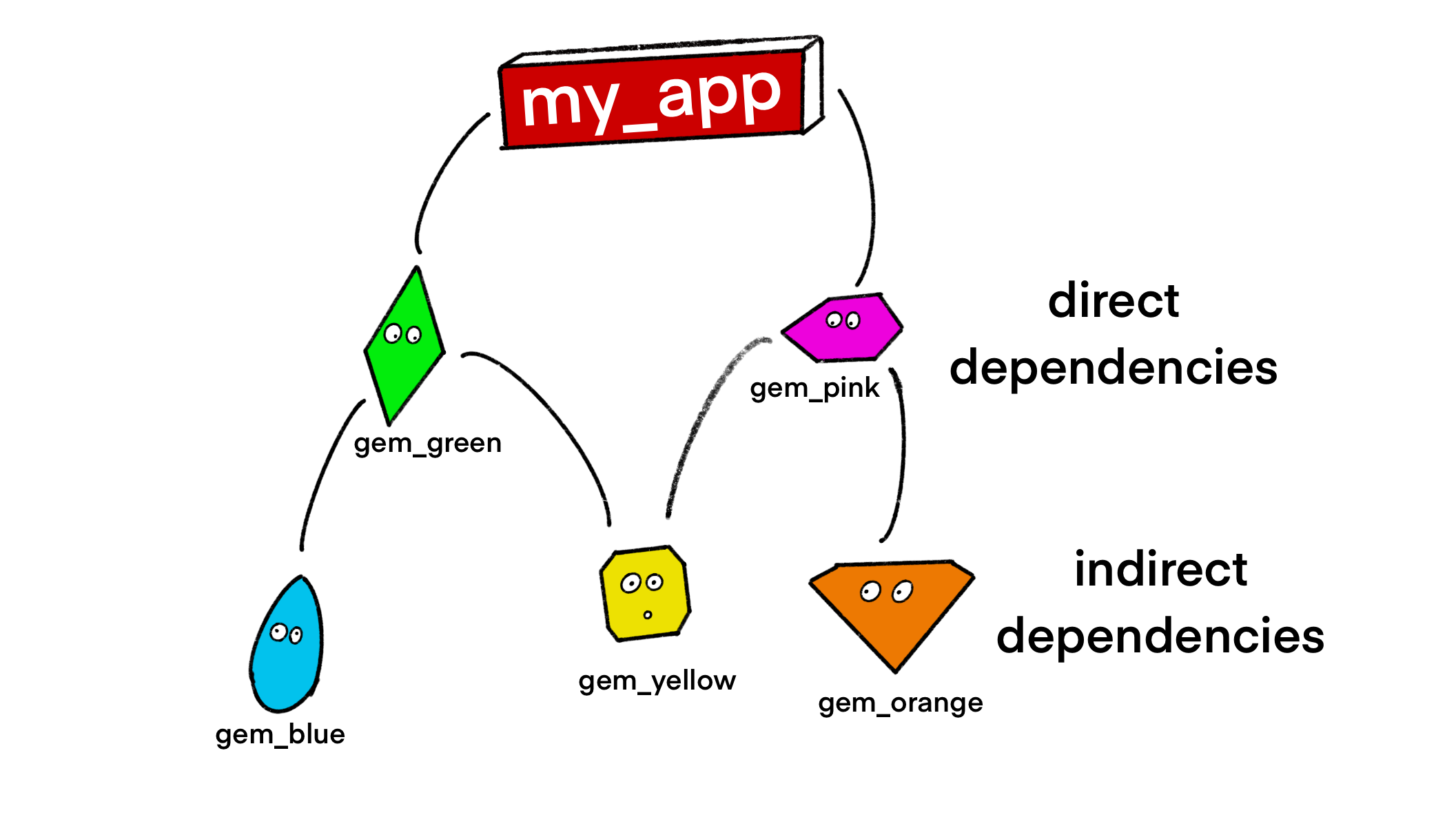
<p>With the addition of RubyGems, we’ve solved the issue of direct dependencies. These are now specified with named versions. However, we still have a problem with our indirect dependencies (in other words: our dependencies’ dependencies).</p>

<p>We have no say in these. They have already been determined by the gem developer. But what happens if they’re incompatible?</p>

<p><img src="/assets/indirect_and_direct_dependencies.png" alt="Rubygems" /></p>
<center><em>FIGHT!</em></center>
<p><br /></p>

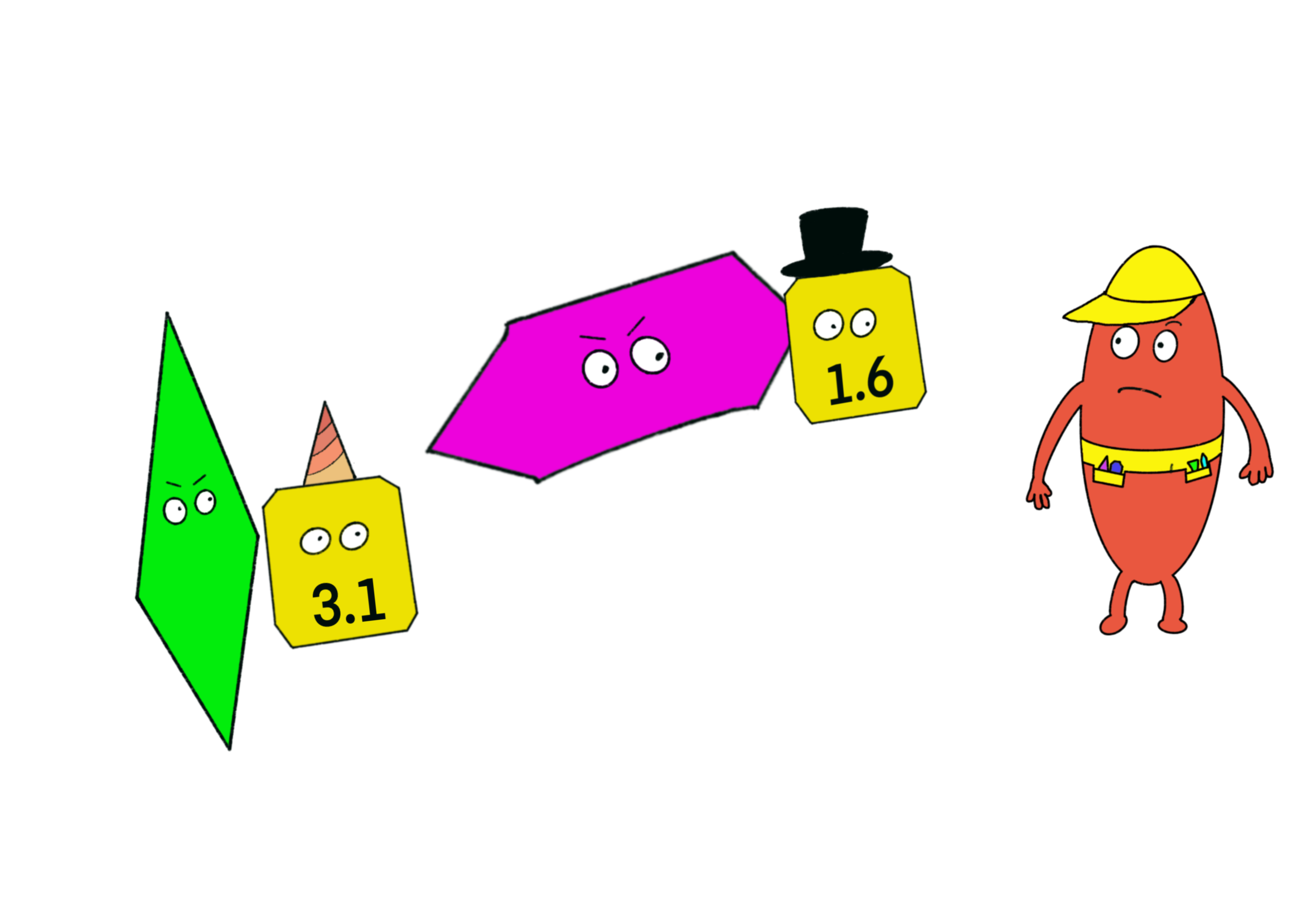
<p>In the cartoon above, both <code class="language-plaintext highlighter-rouge">gem_pink</code> and <code class="language-plaintext highlighter-rouge">gem_green</code> need to use <code class="language-plaintext highlighter-rouge">gem_yellow</code>.</p>

<div class="language-ruby highlighter-rouge"><div class="highlight"><pre class="highlight"><code><span class="c1"># Gem Green is loaded first, and runs this code</span>
<span class="n">gem</span> <span class="s2">"gem_yellow"</span><span class="p">,</span> <span class="s2">"&gt; 3.0"</span>
<span class="c1"># RubyGems finds gem_yellow v3.1 on the machine and activates it</span>
</code></pre></div></div>
<div class="language-ruby highlighter-rouge"><div class="highlight"><pre class="highlight"><code><span class="c1"># Gem Pink is loaded second, and runs this code</span>
<span class="n">gem</span> <span class="s2">"gem_yellow"</span><span class="p">,</span> <span class="s2">"&lt; 2.0"</span>
<span class="c1"># RubyGems finds gem_yellow v1.6 on the machine and tries to activate it</span>
</code></pre></div></div>

<p>When RubyGems comes across this second statement it will throw an “Activation Error”.</p>
<div class="language-ruby highlighter-rouge"><div class="highlight"><pre class="highlight"><code><span class="s2">"Gem::LoadError (can't activate gem_yellow-1.6, 
already activated gem_yellow-3.1.)"</span>
</code></pre></div></div>

<p>It’s a pretty reasonable complaint. A single Ruby process can’t load two different versions of the same gem<sup id="fnref:frankenstein-versions" role="doc-noteref"><a href="#fn:frankenstein-versions" class="footnote" rel="footnote">1</a></sup>.</p>

<p>So somehow, we need to agree on which version of Gem Yellow we’re going to use in the app.</p>

<p><img src="/assets/gem_standoff.png" alt="Rubygems" /></p>
<center><em>"Ah, now this is awkward."</em></center>
<p><br /></p>

<h2 id="solving-the-problem">Solving the problem</h2>

<p>We can’t solve this by changing our <em>indirect dependencies</em>. They are already set in stone for each version of each gem. We can only do this by changing our <em>direct dependencies</em>. Sure, the latest version of Gem Green needs the latest version of Gem Yellow. But do we need the latest version of Gem Green? Can we downgrade and still make the app work?</p>

<p>Sorting this out used to be the job of the developer. If you added a new gem which upset the existing gems, it was your job to upgrade or downgrade gems until everything worked again.</p>

<p>There wasn’t a particularly scientific way of doing this - it was mostly trial and error.</p>

<p>But this was nuts! This is exactly the sort of problem that computers are really good at, and humans are pretty bad at.</p>

<h2 id="software-to-the-rescue">Software to the rescue</h2>

<p><img src="/assets/bundler.png" alt="Rubygems" width="250" style="display:block; margin-left:auto; margin-right:auto" /></p>
<center><em>Bundler</em></center>
<p><br /></p>

<p>And so it was that a new piece of software was developed to solve this problem - Bundler. Bundler is essentially a negotiator. She wants a solution that works for everyone.</p>

<p>Bundler required developers to create a new kind of file - a <code class="language-plaintext highlighter-rouge">Gemfile</code> - for each project. This set out two things:</p>

<ul>
  <li>the dependencies that are needed to make the project work</li>
  <li>the <em>range of versions</em> of each gem that would be acceptable</li>
</ul>

<p>Here’s an example Gemfile (along with the implied range of acceptable versions for each gem). This is a super small Gemfile with just two gems.</p>

<div class="language-ruby highlighter-rouge"><div class="highlight"><pre class="highlight"><code><span class="n">gem</span> <span class="s1">'http'</span><span class="p">,</span> <span class="s1">'~&gt; 5.1'</span> <span class="c1"># works with: 5.1.0, 5.1.1, 5.2.0</span>
<span class="n">gem</span> <span class="s1">'phonelib'</span><span class="p">,</span> <span class="s1">'~&gt; 0.9'</span> <span class="c1"># works with: 0.9.0, 0.9.1, 0.9.2   </span>
</code></pre></div></div>

<p>It uses the same RubyGems syntax that we’re now familiar with. But Bundler is actually doing something quite different with it.</p>

<p>RubyGems looks at  each <code class="language-plaintext highlighter-rouge">gem</code> statement in isolation, and uses it to find a gem which satisfies the constraints on the existing machine.</p>

<p>Bundler doesn’t care about the gems that you have installed on your machine. Instead, she looks at all of the requirements of the project <em>as a whole</em>, and works out which set of versions will satisfy all these constraints at the same time.</p>

<p>Once she has a set of gems that work together, Bundler spits out a new file - a <code class="language-plaintext highlighter-rouge">Gemfile.lock</code>. This tells us the exact versions of each gem that should be used in the project.</p>

<p>Here’s the <code class="language-plaintext highlighter-rouge">Gemfile.lock</code> from our example Gemfile.</p>

<div class="language-ruby highlighter-rouge"><div class="highlight"><pre class="highlight"><code><span class="no">GEM</span>
<span class="ss">remote: </span><span class="n">https</span><span class="ss">:/</span><span class="o">/</span><span class="n">rubygems</span><span class="p">.</span><span class="nf">org</span><span class="o">/</span>
<span class="ss">specs:
  </span><span class="n">addressable</span> <span class="p">(</span><span class="mf">2.8</span><span class="o">.</span><span class="mi">7</span><span class="p">)</span>
    <span class="n">public_suffix</span> <span class="p">(</span><span class="o">&gt;=</span> <span class="mf">2.0</span><span class="o">.</span><span class="mi">2</span><span class="p">,</span> <span class="o">&lt;</span> <span class="mf">7.0</span><span class="p">)</span>
  <span class="n">base64</span> <span class="p">(</span><span class="mf">0.2</span><span class="o">.</span><span class="mi">0</span><span class="p">)</span>
  <span class="n">capybara</span> <span class="p">(</span><span class="mf">3.40</span><span class="o">.</span><span class="mi">0</span><span class="p">)</span>
    <span class="n">addressable</span>
    <span class="n">matrix</span>
    <span class="n">mini_mime</span> <span class="p">(</span><span class="o">&gt;=</span> <span class="mf">0.1</span><span class="o">.</span><span class="mi">3</span><span class="p">)</span>
    <span class="n">nokogiri</span> <span class="p">(</span><span class="o">~&gt;</span> <span class="mf">1.11</span><span class="p">)</span>
    <span class="n">rack</span> <span class="p">(</span><span class="o">&gt;=</span> <span class="mf">1.6</span><span class="o">.</span><span class="mi">0</span><span class="p">)</span>
    <span class="n">rack</span><span class="o">-</span><span class="nb">test</span> <span class="p">(</span><span class="o">&gt;=</span> <span class="mf">0.6</span><span class="o">.</span><span class="mi">3</span><span class="p">)</span>
    <span class="n">regexp_parser</span> <span class="p">(</span><span class="o">&gt;=</span> <span class="mf">1.5</span><span class="p">,</span> <span class="o">&lt;</span> <span class="mf">3.0</span><span class="p">)</span>
    <span class="n">xpath</span> <span class="p">(</span><span class="o">~&gt;</span> <span class="mf">3.2</span><span class="p">)</span>
  <span class="n">domain_name</span> <span class="p">(</span><span class="mf">0.6</span><span class="o">.</span><span class="mi">20240107</span><span class="p">)</span>
  <span class="n">ffi</span> <span class="p">(</span><span class="mf">1.17</span><span class="o">.</span><span class="mi">0</span><span class="o">-</span><span class="n">arm64</span><span class="o">-</span><span class="n">darwin</span><span class="p">)</span>
  <span class="n">ffi</span><span class="o">-</span><span class="n">compiler</span> <span class="p">(</span><span class="mf">1.3</span><span class="o">.</span><span class="mi">2</span><span class="p">)</span>
    <span class="n">ffi</span> <span class="p">(</span><span class="o">&gt;=</span> <span class="mf">1.15</span><span class="o">.</span><span class="mi">5</span><span class="p">)</span>
    <span class="n">rake</span>
  <span class="n">http</span> <span class="p">(</span><span class="mf">5.2</span><span class="o">.</span><span class="mi">0</span><span class="p">)</span>
    <span class="n">addressable</span> <span class="p">(</span><span class="o">~&gt;</span> <span class="mf">2.8</span><span class="p">)</span>
    <span class="n">base64</span> <span class="p">(</span><span class="o">~&gt;</span> <span class="mf">0.1</span><span class="p">)</span>
    <span class="n">http</span><span class="o">-</span><span class="n">cookie</span> <span class="p">(</span><span class="o">~&gt;</span> <span class="mf">1.0</span><span class="p">)</span>
    <span class="n">http</span><span class="o">-</span><span class="n">form_data</span> <span class="p">(</span><span class="o">~&gt;</span> <span class="mf">2.2</span><span class="p">)</span>
    <span class="n">llhttp</span><span class="o">-</span><span class="n">ffi</span> <span class="p">(</span><span class="o">~&gt;</span> <span class="mf">0.5</span><span class="o">.</span><span class="mi">0</span><span class="p">)</span>
  <span class="n">http</span><span class="o">-</span><span class="n">cookie</span> <span class="p">(</span><span class="mf">1.0</span><span class="o">.</span><span class="mi">7</span><span class="p">)</span>
    <span class="n">domain_name</span> <span class="p">(</span><span class="o">~&gt;</span> <span class="mf">0.5</span><span class="p">)</span>
  <span class="n">http</span><span class="o">-</span><span class="n">form_data</span> <span class="p">(</span><span class="mf">2.3</span><span class="o">.</span><span class="mi">0</span><span class="p">)</span>
  <span class="n">llhttp</span><span class="o">-</span><span class="n">ffi</span> <span class="p">(</span><span class="mf">0.5</span><span class="o">.</span><span class="mi">0</span><span class="p">)</span>
    <span class="n">ffi</span><span class="o">-</span><span class="n">compiler</span> <span class="p">(</span><span class="o">~&gt;</span> <span class="mf">1.0</span><span class="p">)</span>
    <span class="n">rake</span> <span class="p">(</span><span class="o">~&gt;</span> <span class="mf">13.0</span><span class="p">)</span>
  <span class="n">matrix</span> <span class="p">(</span><span class="mf">0.4</span><span class="o">.</span><span class="mi">2</span><span class="p">)</span>
  <span class="n">mini_mime</span> <span class="p">(</span><span class="mf">1.1</span><span class="o">.</span><span class="mi">5</span><span class="p">)</span>
  <span class="n">nokogiri</span> <span class="p">(</span><span class="mf">1.16</span><span class="o">.</span><span class="mi">7</span><span class="o">-</span><span class="n">arm64</span><span class="o">-</span><span class="n">darwin</span><span class="p">)</span>
    <span class="n">racc</span> <span class="p">(</span><span class="o">~&gt;</span> <span class="mf">1.4</span><span class="p">)</span>
  <span class="n">public_suffix</span> <span class="p">(</span><span class="mf">6.0</span><span class="o">.</span><span class="mi">1</span><span class="p">)</span>
  <span class="n">racc</span> <span class="p">(</span><span class="mf">1.8</span><span class="o">.</span><span class="mi">1</span><span class="p">)</span>
  <span class="n">rack</span> <span class="p">(</span><span class="mf">3.1</span><span class="o">.</span><span class="mi">7</span><span class="p">)</span>
  <span class="n">rack</span><span class="o">-</span><span class="nb">test</span> <span class="p">(</span><span class="mf">2.1</span><span class="o">.</span><span class="mi">0</span><span class="p">)</span>
    <span class="n">rack</span> <span class="p">(</span><span class="o">&gt;=</span> <span class="mf">1.3</span><span class="p">)</span>
  <span class="n">rake</span> <span class="p">(</span><span class="mf">13.2</span><span class="o">.</span><span class="mi">1</span><span class="p">)</span>
  <span class="n">regexp_parser</span> <span class="p">(</span><span class="mf">2.9</span><span class="o">.</span><span class="mi">2</span><span class="p">)</span>
  <span class="n">xpath</span> <span class="p">(</span><span class="mf">3.2</span><span class="o">.</span><span class="mi">0</span><span class="p">)</span>
    <span class="n">nokogiri</span> <span class="p">(</span><span class="o">~&gt;</span> <span class="mf">1.8</span><span class="p">)</span>
</code></pre></div></div>
<p>You’ll see that it’s already pretty long and complicated, with just two gems.</p>

<p>If you graph out the relationships between the gems, as in the image below<sup id="fnref:visualising-dependencies" role="doc-noteref"><a href="#fn:visualising-dependencies" class="footnote" rel="footnote">2</a></sup>, you’ll see some of the potential issues.</p>

<p><a href="/assets/gem_graph.png">
<img src="/assets/gem_graph.png" alt="Rubygems" style="display:block; margin-left:auto; margin-right:auto" />
</a></p>
<center><em>Image is a bit small - click to see it larger</em></center>
<p><br /></p>

<p>So this isn’t a simple “tree” with a clear hierarchy, this is a crazy graph with links all over the place.</p>

<ul>
  <li>our indirect dependencies also have dependencies</li>
  <li>sometimes our indirect dependencies will have depdendencies on our direct dependencies</li>
  <li>some dependencies have multiple “parents”</li>
</ul>

<p>Bear in mind that in a typical Rails project, there will be hundreds of gems and connections between them. Not an easy task.</p>

<h2 id="how-does-it-work">How does it work?</h2>

<p>Unlike a hapless developer using trial and error and hoping for the best, Bundler has a systematic approach.</p>

<p>Bundler uses a ‘dependency resolution algorithm’ to find a set of direct and indirect dependencies that satisfy all the constraints<sup id="fnref:hard-problem" role="doc-noteref"><a href="#fn:hard-problem" class="footnote" rel="footnote">3</a></sup>.</p>

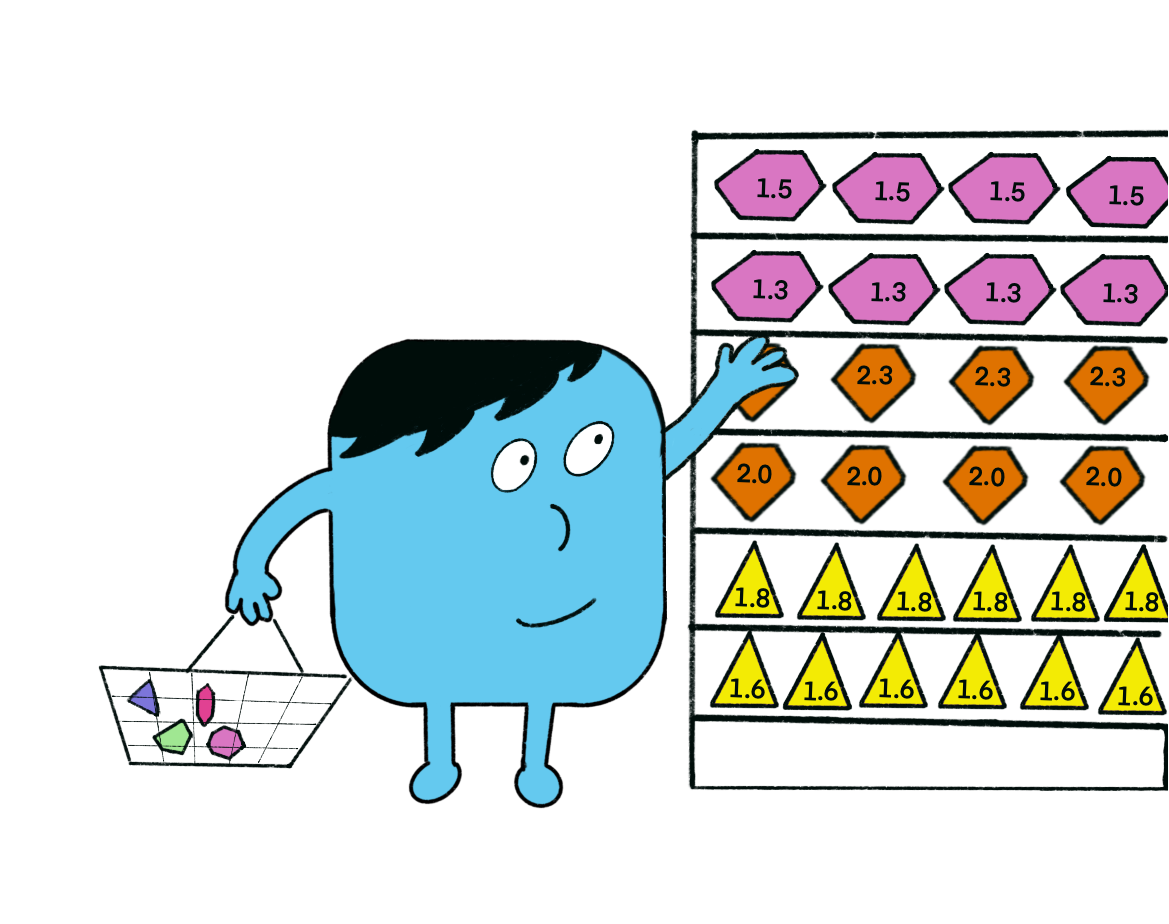
<p>We can think of the algorithm as Bundler heading to shops with a shopping list. The requirements are her shopping list, and the basket represents the gems she believes will satisfy those requirements activate.</p>

<p>She goes though each item on the list in turn, looking for a gem version that satisfies the stated requirements. If she finds one that works, she puts it in her basket.</p>

<p><img src="/assets/shopping_for_gems.png" alt="Rubygems" style="display:block; margin-left:auto; margin-right:auto" /></p>
<center><em>Shopping for gems</em></center>
<p><br /></p>

<p>However, if she later finds a requirement that conflicts with one of the gems that she has already put in the basket, she “backtracks”. This means taking out of the basket every gem that she has put in since she added the conflicting gem, and starting over from that point. She then tries to find a new version of that original gem that satisfies both the original requirement, and the new conflicting requirement, before carrying on again.</p>

<p>It’s pretty laborious stuff<sup id="fnref:bundler-algorithm" role="doc-noteref"><a href="#fn:bundler-algorithm" class="footnote" rel="footnote">4</a></sup>. Once she’s finished, she’ll download any new versions that are needed.</p>

<p>To ensure that the gems in your <code class="language-plaintext highlighter-rouge">Gemfile.lock</code> are the ones that are activated, you’ll need to add <code class="language-plaintext highlighter-rouge">bundle exec</code> before your Ruby command. If you forget to do this, RubyGems will just do it’s normal thing and use the latest versions of the gems installed on your system.</p>

<h2 id="an-unexpected-advantage">An unexpected advantage</h2>

<p>Using a <code class="language-plaintext highlighter-rouge">Gemfile.lock</code> also has another advantage. Not only do we know that the dependencies will work together, it also means that everyone working on the project is using the <em>exact</em> same set of dependencies.</p>

<p>If we don’t commit the <code class="language-plaintext highlighter-rouge">Gemfile.lock</code> to our repository, but instead rely on each developer running <code class="language-plaintext highlighter-rouge">bundle install</code>, then it’s very possible that different machines would end up with slightly different versions of some gems<sup id="fnref:different-versions" role="doc-noteref"><a href="#fn:different-versions" class="footnote" rel="footnote">5</a></sup>.</p>

<p>If we’re all running exactly the same code, we’ve just eliminated a whole class of bugs. 🎉</p>

<h2 id="hooray-for-bundler">Hooray for Bundler</h2>

<p>So Bundler is pretty great. Compared to the node and python ecosystems, I think the way manages Ruby dependencies is pretty good.</p>

<p>Of course, if you make an impossible request in your Gemfile, and specify two gems that have fundamentally incompatible dependencies - Bundler can’t help you. In this case Bundler will stop and let you know.</p>

<p>However, if there is a way to make your Gemfile requirements work, Bundler will find it.</p>

<div class="footnotes" role="doc-endnotes">
  <ol>
    <li id="fn:frankenstein-versions" role="doc-endnote">
      <p>Think about what would happen if we could. Given that you can reopen classes in Ruby, and overwrite existing methods, if you loaded both gems, then the resulting class would be a Frankenstein mix of both versions! <a href="#fnref:frankenstein-versions" class="reversefootnote" role="doc-backlink">&#8617;</a></p>
    </li>
    <li id="fn:visualising-dependencies" role="doc-endnote">
      <p>Creating these kinds of graphs is a great way of understanding your dependencies - you can see how to do that <a href="https://github.com/rubygems/bundler-graph">here</a> <a href="#fnref:visualising-dependencies" class="reversefootnote" role="doc-backlink">&#8617;</a></p>
    </li>
    <li id="fn:hard-problem" role="doc-endnote">
      <p>This is not a trivial task. Dependency Resolution is a hard computer science problem, technically an <a href="https://simple.wikipedia.org/wiki/NP-complete">NP Complete</a> problem (or possibly <code class="language-plaintext highlighter-rouge">npm</code>-complete 🥁). <a href="#fnref:hard-problem" class="reversefootnote" role="doc-backlink">&#8617;</a></p>
    </li>
    <li id="fn:bundler-algorithm" role="doc-endnote">
      <p>You can read a slightly more technical explanation of the process <a href="https://patshaughnessy.net/2011/9/24/how-does-bundler-bundle">here</a>. <a href="#fnref:bundler-algorithm" class="reversefootnote" role="doc-backlink">&#8617;</a></p>
    </li>
    <li id="fn:different-versions" role="doc-endnote">
      <p>For example, if a new version of a gem is released, bunder will typically install that newer version. With a shared <code class="language-plaintext highlighter-rouge">Gemfile.lock</code>, this is no longer possible. <a href="#fnref:different-versions" class="reversefootnote" role="doc-backlink">&#8617;</a></p>
    </li>
  </ol>
</div>]]></content><author><name></name></author><summary type="html"><![CDATA[This post is the final part of our 4 part series on loading code in Ruby. You can find the other parts here: Part 1, Part 2, Part 3.]]></summary></entry><entry><title type="html">Hunting for Gems</title><link href="https://railsexplained.com/pages/hunting-for-gems/" rel="alternate" type="text/html" title="Hunting for Gems" /><published>2024-09-24T00:00:00+00:00</published><updated>2024-09-24T00:00:00+00:00</updated><id>https://railsexplained.com/pages/hunting-for-gems</id><content type="html" xml:base="https://railsexplained.com/pages/hunting-for-gems/"><![CDATA[<p>It’s time for another installment in our series on loading code in Rails.</p>

<p>We have already discussed:</p>

<ul>
  <li><a href="/pages/loading-files-in-ruby/">Part 1 - Loading Files In Ruby</a></li>
  <li><a href="/pages/loading-files-in-rails/">Part 2 - Loading Files in Rails</a> (using Ruby’s in-built mechansims and the Autoloader)</li>
</ul>

<p>But so far, we’ve not talked about gems. “Gem” is the Ruby community’s name for libraries - essentially other people’s code.</p>

<p>Using other people’s code instead of writing your own saves a lot of time, so it’s an important part of the story.</p>

<h2 id="a-trip-back-in-time">A trip back in time</h2>

<p>Back in the 90s, Ruby was a cool programming language. Probably it’s what Thomas Anderson was using before he got kicked out of the Matrix.</p>

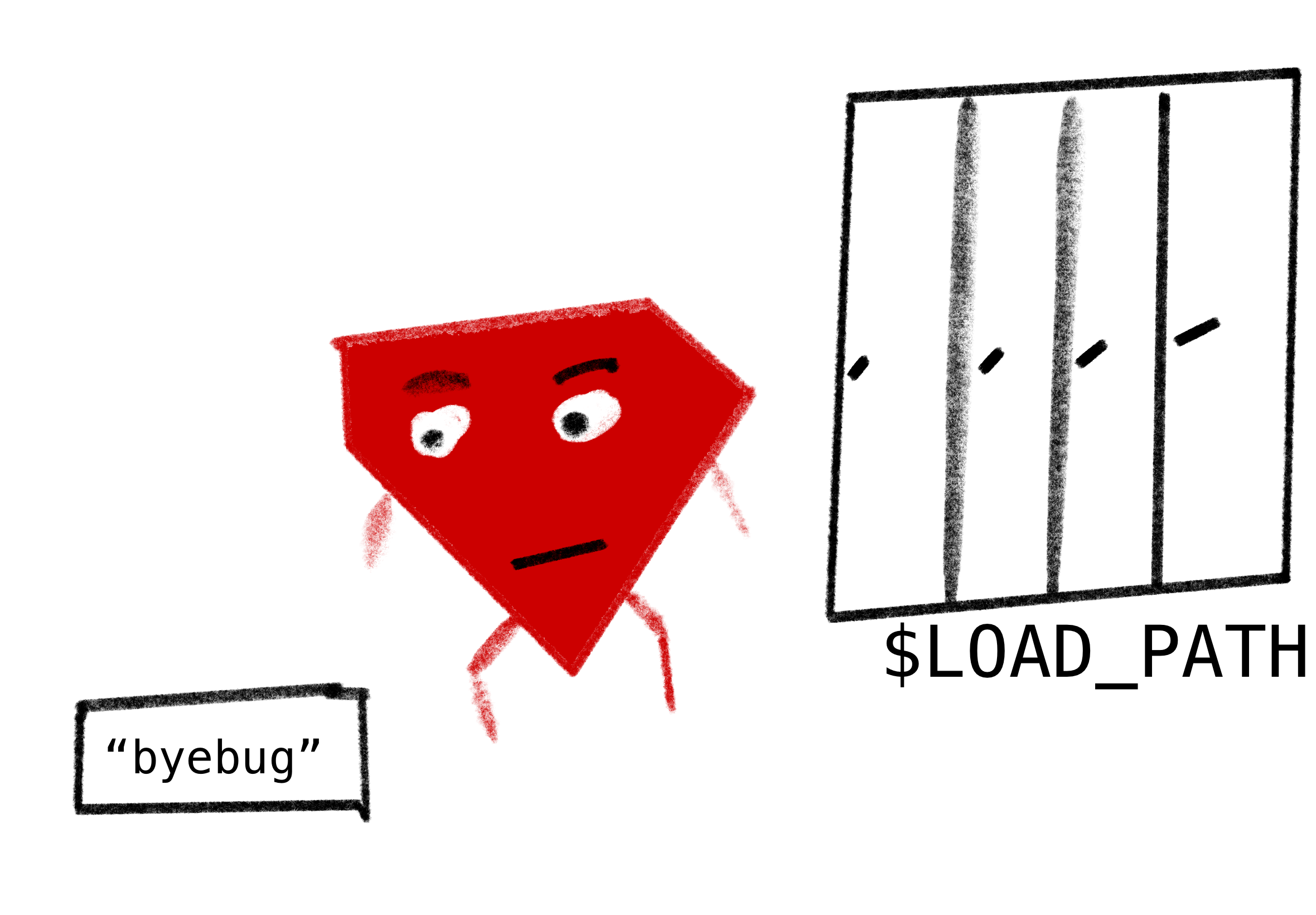
<p>Unfortunately, it was super janky to share Ruby code with other people. You could download code from other people’s websites. Then you chucked the code into a folder in the <code class="language-plaintext highlighter-rouge">$LOAD_PATH</code>[^setup-rb]. By default, most Ruby libraries were put into a single global folder called <code class="language-plaintext highlighter-rouge">/site_ruby</code>[^vendoring].</p>

<p><img src="/assets/ruby_casually_storing_code.png" alt="Rubygems" /></p>
<center><em>"I'm sure I'll find it there later"</em></center>
<p><br /></p>

<p>So, let’s say you needed a libary called <code class="language-plaintext highlighter-rouge">calculator</code>. You’d add this code to your project:</p>

<div class="language-ruby highlighter-rouge"><div class="highlight"><pre class="highlight"><code><span class="nb">require</span> <span class="s2">"calculator"</span>
</code></pre></div></div>

<p>Ruby goes hunting through all the directories in the <code class="language-plaintext highlighter-rouge">$LOAD_PATH</code> array to find a file named <code class="language-plaintext highlighter-rouge">calculator.rb</code>.</p>

<p>You’ve already downloaded <code class="language-plaintext highlighter-rouge">calculator.rb</code>, and put it in <code class="language-plaintext highlighter-rouge">/site_ruby</code> (and you’ve added <code class="language-plaintext highlighter-rouge">/site_ruby</code> to  the <code class="language-plaintext highlighter-rouge">$LOAD_PATH</code>) - so you’re good to go 👍.</p>

<h2 id="more-versions-more-problems">More versions, more problems</h2>

<p>But now what if your colleague tells you about a new version of calculator that has just comes out? (It has a new “mutiply” feature that you’re excited about.)</p>

<p>So, now you have to:</p>

<ul>
  <li>go to the <code class="language-plaintext highlighter-rouge">calculator.rb</code> website</li>
  <li>download the latest version of the code (hoping it’s the right one, there’s no standard way to check)</li>
  <li>delete all the files from the old <code class="language-plaintext highlighter-rouge">calculator.rb</code> (sorry, there’s no uninstall)</li>
  <li>copy the new code into <code class="language-plaintext highlighter-rouge">site_ruby</code> where you keep all your libraries</li>
</ul>

<p>If you did all these steps, you were probably fine. But it was pretty tedious and manual. It was up to you to manage your <code class="language-plaintext highlighter-rouge">$LOAD_PATH</code> to ensure that there were no conflicts[^also-catastrophes].</p>
<h2 id="rubygems-to-the-rescue">RubyGems to the Rescue</h2>

<p>So in 2003, RubyGems was released.</p>

<p><img src="/assets/rubygems.png" alt="Rubygems" width="250" style="display:block; margin-left:auto; margin-right:auto" /></p>
<center><em>RubyGems - here to solve your gem versioning issues</em></center>
<p><br /></p>

<p>RubyGems makes things a lot easier:</p>

<ul>
  <li>it hosts your code for you (at <a href="https://rubygems.org">rubygems.org</a>) 🥳</li>
  <li>it downloads the code and installs the code for you with a single terminal command 👍</li>
  <li>it lets you download specific versions each library 🥇</li>
  <li>it lets you specify which version of the library each piece of Ruby code needs 🎉</li>
  <li>it uninstalls each gem for you 😄</li>
</ul>

<p>This is great. It removes a lot of the tedium. Instead of all the downloading and uninstalling, we can now just run</p>
<div class="language-bash highlighter-rouge"><div class="highlight"><pre class="highlight"><code><span class="nv">$:</span> gem <span class="nb">install </span>calculator
</code></pre></div></div>
<p>and the code (and all its dependencies) get magically installed onto your machine for you to use.</p>

<p>Now if you want to use this gem, you can just add:</p>
<div class="language-ruby highlighter-rouge"><div class="highlight"><pre class="highlight"><code><span class="nb">require</span> <span class="s2">"calculator"</span>
</code></pre></div></div>
<p>Through a clever hack[^the-clever-hack], Ruby will pass over control to RubyGems and ask it to add a folder containing this gem to the <code class="language-plaintext highlighter-rouge">$LOAD_PATH</code>. Magic. ✨</p>

<h2 id="can-we-be-more-specific">Can we be more specific?</h2>

<p>By default, RubyGems will download and use the latest version of a gem. If you want to download or use a specific version though, RubyGems lets you do that too.</p>

<p>To install a specific version:</p>

<div class="language-bash highlighter-rouge"><div class="highlight"><pre class="highlight"><code><span class="nv">$:</span> gem <span class="nb">install </span>calculator <span class="nt">-v</span> 1.0
</code></pre></div></div>
<p>Then put this in your Ruby code to use that version:</p>
<div class="language-ruby highlighter-rouge"><div class="highlight"><pre class="highlight"><code><span class="n">gem</span> <span class="s1">'calculator'</span><span class="p">,</span> <span class="s1">'1.0'</span>
</code></pre></div></div>
<p>By using the <code class="language-plaintext highlighter-rouge">gem</code> method in your Ruby code, you are “activating” the gem. This means that RubyGems is adding the folder containing the gem to the <code class="language-plaintext highlighter-rouge">$LOAD_PATH</code>. Then when Ruby <code class="language-plaintext highlighter-rouge">requires</code> the gem, it will find the right gem code.</p>

<p>You can even specify that you want a gem version that falls between two versions, and Ruby wil look within all your versions of that gem and return one that satisfies these constraints.</p>

<div class="language-ruby highlighter-rouge"><div class="highlight"><pre class="highlight"><code><span class="n">gem</span> <span class="s2">"calculator"</span><span class="p">,</span> <span class="s2">"&gt;= 1.1"</span><span class="p">,</span> <span class="s2">"&lt; 2"</span>
</code></pre></div></div>
<p>Or you can use the pessimistic operator[^pessimistic-operator] <code class="language-plaintext highlighter-rouge">~&gt;</code> to allow upgrades but avoid breaking changes.</p>
<div class="language-ruby highlighter-rouge"><div class="highlight"><pre class="highlight"><code><span class="n">gem</span> <span class="s2">"calculator"</span><span class="p">,</span> <span class="s2">"~&gt; 1.1"</span>
</code></pre></div></div>

<p>Rubygems will look for versions that satisfy these constraints <em>among the versions that you have installed on your machine</em>. So, if you start on a new project that specifies a version of <code class="language-plaintext highlighter-rouge">calculator</code> <code class="language-plaintext highlighter-rouge">~&gt; 1.1</code>, and you have <code class="language-plaintext highlighter-rouge">v1.5</code> of <code class="language-plaintext highlighter-rouge">calculator</code> on your machine already, RubyGems will activate that version.</p>

<h2 id="putting-it-into-practice">Putting it into practice</h2>

<p>This was great for people who regularly ran more than one Ruby project on their computer. Now you could easily use <code class="language-plaintext highlighter-rouge">v1.0</code> of a gem in one project and <code class="language-plaintext highlighter-rouge">v2.0</code> in another.</p>

<p>Rails developed a syntax (which used RubyGems <code class="language-plaintext highlighter-rouge">gem</code> method under the hood) for specifying the gems that each project needed.</p>

<div class="language-ruby highlighter-rouge"><div class="highlight"><pre class="highlight"><code><span class="no">Rails</span><span class="o">::</span><span class="no">Initializer</span><span class="p">.</span><span class="nf">run</span> <span class="k">do</span> <span class="o">|</span><span class="n">config</span><span class="o">|</span>
  <span class="n">config</span><span class="p">.</span><span class="nf">gem</span> <span class="s2">"nokogiri"</span><span class="p">,</span> <span class="ss">:version</span> <span class="o">=&gt;</span> <span class="s2">"1.4.2"</span>
  <span class="n">config</span><span class="p">.</span><span class="nf">gem</span> <span class="s2">"paperclip"</span><span class="p">,</span> <span class="ss">:version</span> <span class="o">=&gt;</span> <span class="s2">"2.3.3"</span>
<span class="k">end</span>
</code></pre></div></div>

<p>Often people used a <code class="language-plaintext highlighter-rouge">rake gem:install</code> command to install all of these gems with a single command.</p>

<h2 id="however">However…</h2>

<p>While RubyGems was pretty great, a pretty major problem still lurked. Solving this problem would require the final piece in our Ruby dependency management story.</p>

<p>Read the final part of our series here - <a href="/pages/unpacking-bundler/">Part 4 - Unpacking Bundler</a></p>]]></content><author><name></name></author><summary type="html"><![CDATA[It’s time for another installment in our series on loading code in Rails.]]></summary></entry><entry><title type="html">What is Bootsnap?</title><link href="https://railsexplained.com/pages/what-is-bootsnap/" rel="alternate" type="text/html" title="What is Bootsnap?" /><published>2024-01-26T00:00:00+00:00</published><updated>2024-01-26T00:00:00+00:00</updated><id>https://railsexplained.com/pages/what-is-bootsnap</id><content type="html" xml:base="https://railsexplained.com/pages/what-is-bootsnap/"><![CDATA[<p>Bootsnap is one of those unassuming gems, that sits in your project’s Gemfile without calling much attention to itself.</p>

<div class="language-ruby highlighter-rouge"><div class="highlight"><pre class="highlight"><code><span class="c1"># Gemfile</span>

<span class="c1"># Reduces boot times through caching; required in config/boot.rb</span>
<span class="n">gem</span> <span class="s2">"bootsnap"</span><span class="p">,</span> <span class="ss">require: </span><span class="kp">false</span>
</code></pre></div></div>

<p>But what does it do? And how does it work?</p>

<p>Bootsnap’s goal is to make Rails bootup as fast as possible (or ‘boot-snappily’ if you will).</p>

<p><img src="/assets/hello_bootsnap.png" alt="Say hello to Bootsnap" width="250" style="display:block; margin-left:auto; margin-right:auto" /></p>
<center><em>(Important technical detail: 'Under the hood' Bootsnap is actually a Boot.)</em></center>
<p><br /></p>

<p>The gem was created by Shopify, and solves a particular problem they had.</p>

<h3 id="shopifys-problem">Shopify’s problem</h3>

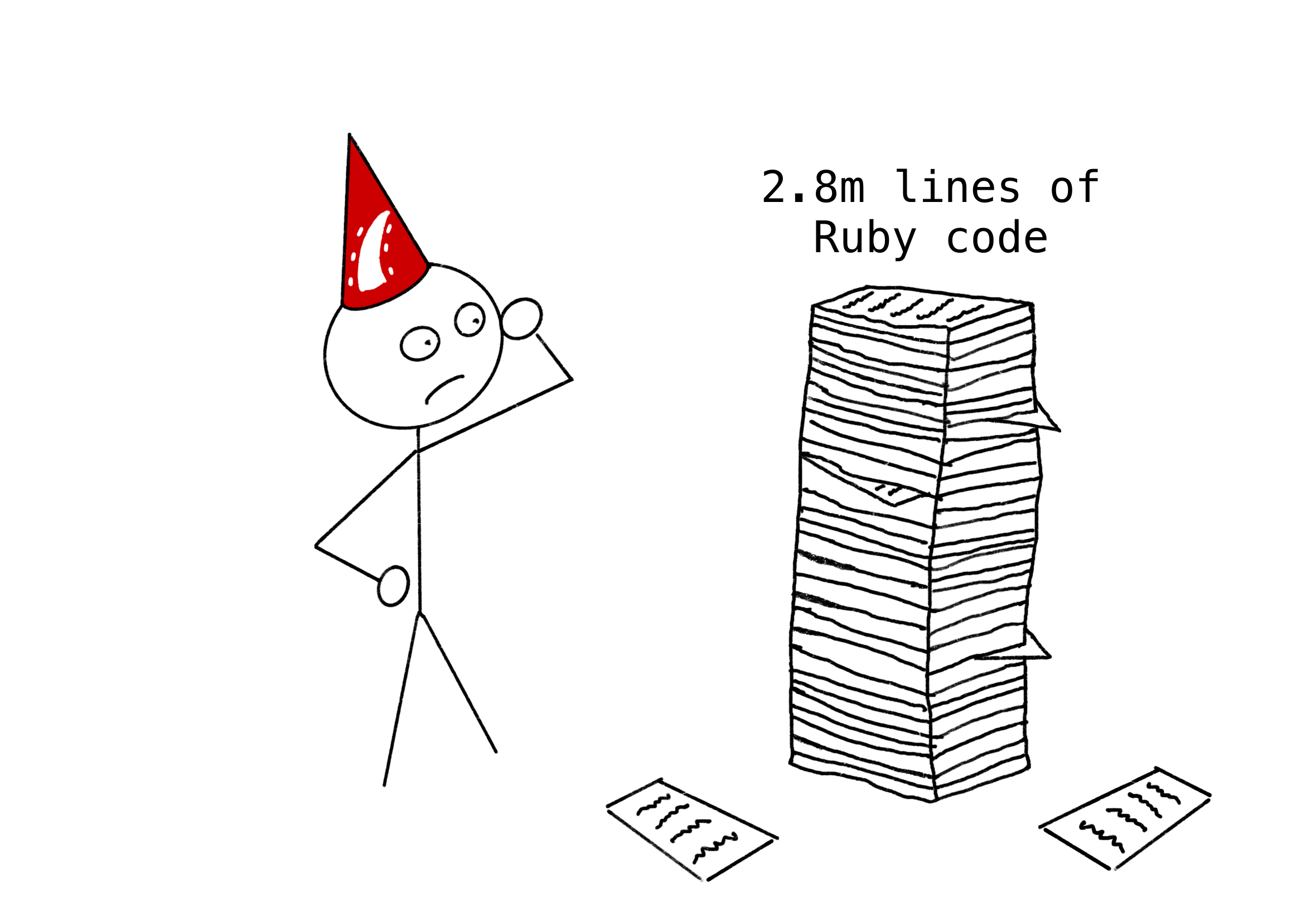
<p>Shopify have a lot of Ruby code. They also use Rails <a href="https://shopify.engineering/shopify-monolith">largely as a monolith</a>, so much of this code sits within a single application - over 2.8 million lines.  With all this application code, Rails takes a while to load.</p>

<p><img src="/assets/lots_of_code.png" alt="Say hello to Bootsnap" style="display:block; margin-left:auto; margin-right:auto" /></p>
<center><em>"Actually, maybe I don't scale after all."</em></center>
<p><br /></p>

<p>If a unit tests uses Rails, the test runner needs to load the whole of Rails. So when a Shopify developer  runs a single test, they need to load all that code. Before Bootsnap, this could take the Shopify monolith 25 seconds. This was a big problem that Shopify needed to solve<sup id="fnref:mainly-a-development-issue" role="doc-noteref"><a href="#fn:mainly-a-development-issue" class="footnote" rel="footnote">1</a></sup>.</p>

<h2 id="how-bootsnap-speeds-things-up">How Bootsnap speeds things up</h2>

<p>Bootsnap caches the results of the last time that your application loaded up<sup id="fnref:only-useful-after-first-boot" role="doc-noteref"><a href="#fn:only-useful-after-first-boot" class="footnote" rel="footnote">2</a></sup>. It does this in two ways:</p>

<ul>
  <li>Caching the <code class="language-plaintext highlighter-rouge">$LOAD_PATH</code></li>
  <li>Caching compiled Ruby code</li>
</ul>

<p>Let’s look at each of these in turn.</p>

<h3 id="caching-the-load_path">Caching the LOAD_PATH</h3>

<p>As you may remember from our previous article on <a href="/pages/loading-files-in-ruby/">loading files in Ruby</a>, when Ruby comes across a <code class="language-plaintext highlighter-rouge">require</code> statement that it hasn’t seen before, it searches through the <code class="language-plaintext highlighter-rouge">$LOAD_PATH</code> to find that file. This may seem like a pretty speedy process. After all Ruby already has a list of places to look, how hard can it be?</p>

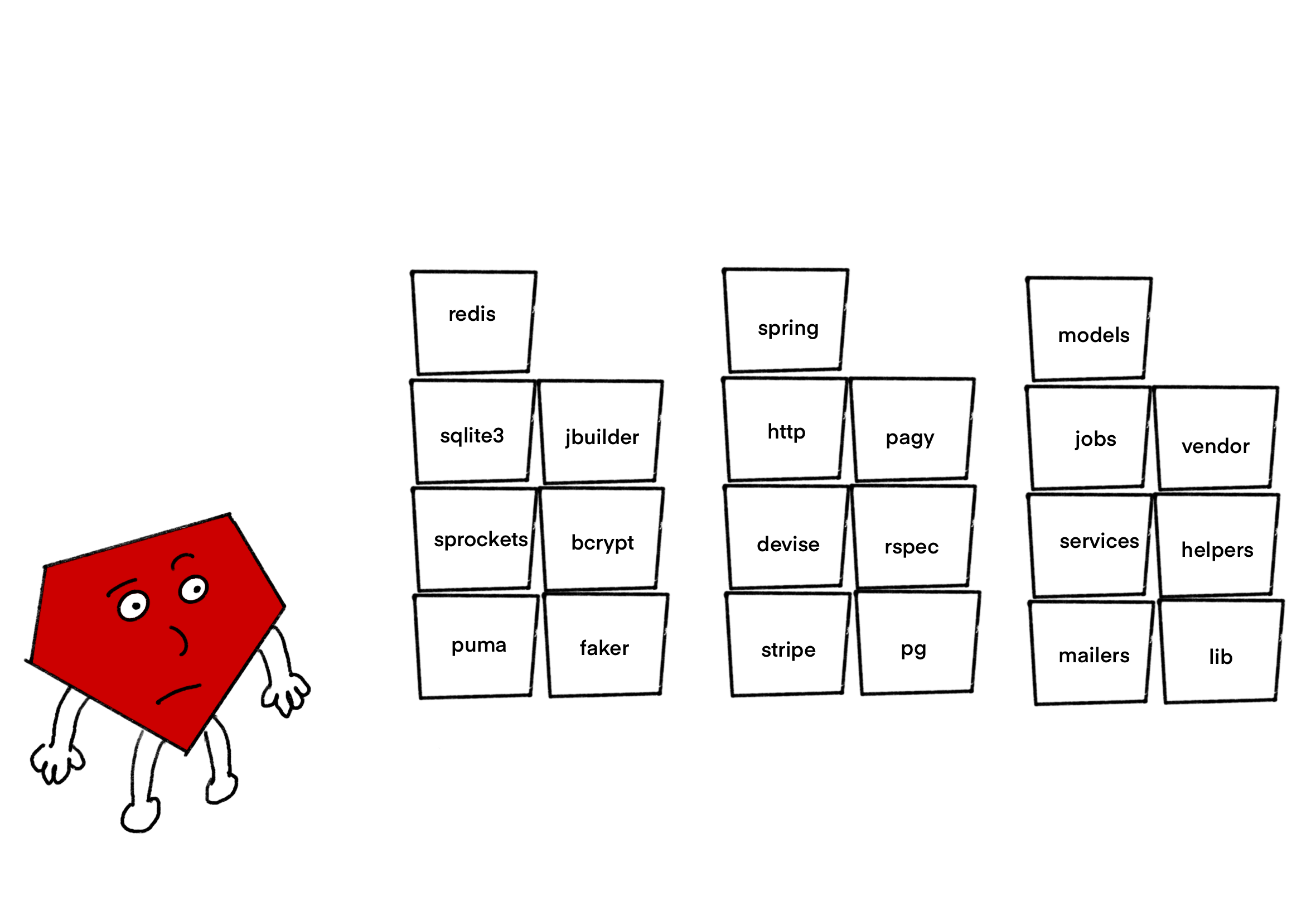
<p>Well, in some cases, there might be hundreds of entries in the <code class="language-plaintext highlighter-rouge">$LOAD_PATH</code><sup id="fnref:hundreds-of-entries" role="doc-noteref"><a href="#fn:hundreds-of-entries" class="footnote" rel="footnote">3</a></sup>. Ruby has to look through every one of these directories to find the matching file<sup id="fnref:how-much-requiring-does-rails-do" role="doc-noteref"><a href="#fn:how-much-requiring-does-rails-do" class="footnote" rel="footnote">4</a></sup>.</p>

<p><img src="/assets/large_load_path.png" alt="Say hello to Bootsnap" style="display:block; margin-left:auto; margin-right:auto" /></p>
<center><em>"In one of these boxes you say?"</em></center>
<p><br /></p>

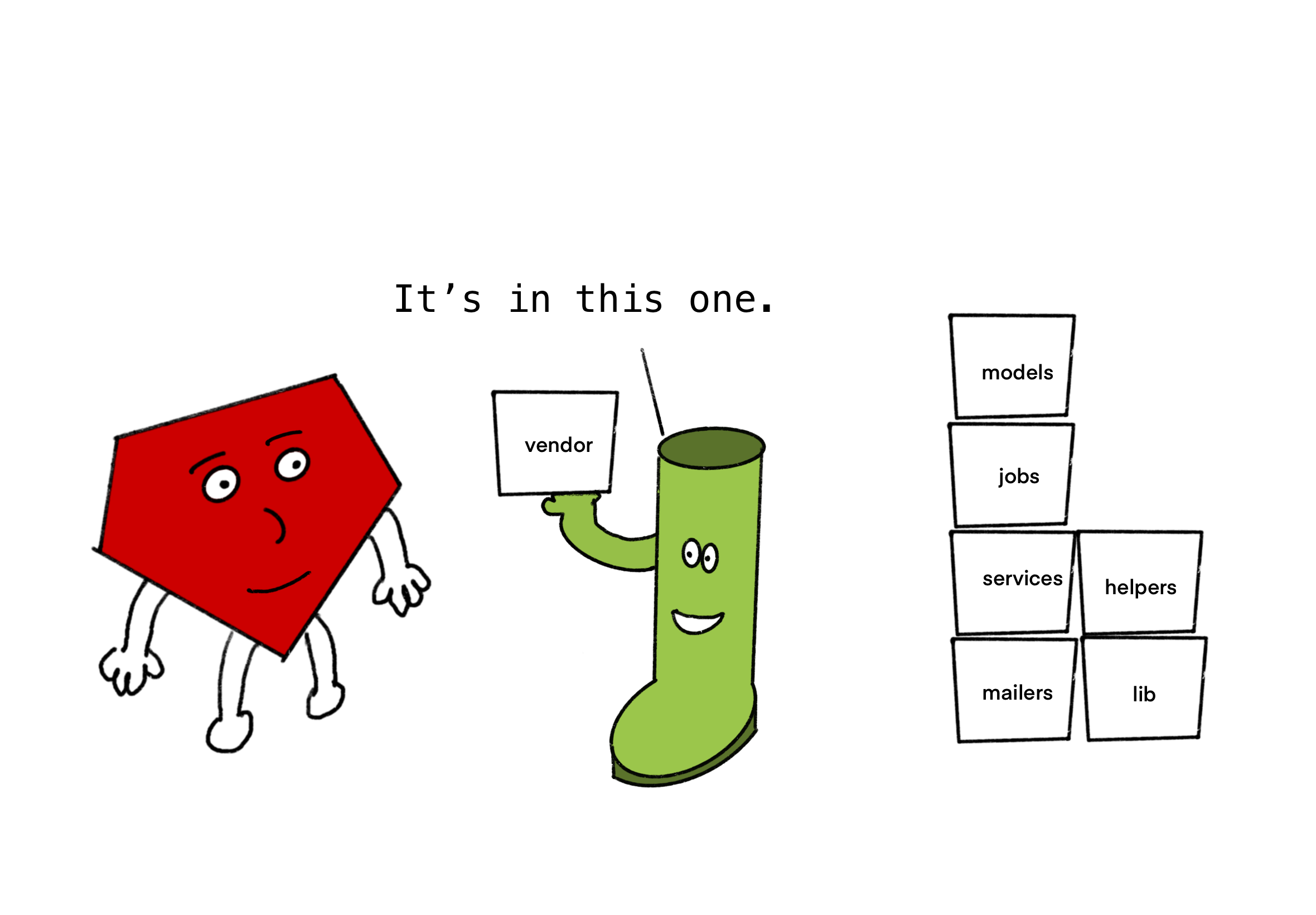
<p>Bootsnap reduces this work by scanning the files that are in each directory when the application boots, and keeping a record of which files are stored where. When it comes time to <code class="language-plaintext highlighter-rouge">require</code> a file, Bootsnap can tell Ruby exactly where it needs to look.</p>

<p><img src="/assets/bootsnap_saves_the_day.png" alt="Say hello to Bootsnap" style="display:block; margin-left:auto; margin-right:auto" /></p>
<center><em>Ruby ❤️ Bootsnap</em></center>
<p><br /></p>

<p>Much faster!</p>

<h3 id="caching-compiled-ruby-code">Caching compiled Ruby code</h3>

<p>The other thing Bootsnap caches is compiled Ruby code. This might seem a bit strange if you’re used to thinking of Ruby as an ‘interpreted’ language.</p>

<h4 id="how-are-intepreted-languages-different-from-compiled-languages">How are intepreted languages different from compiled languages?</h4>

<p>With an interpreted language, the code is read by the computer shortly before it is executed.</p>

<p>With compiled languages, the computer reads through the whole program and converts it into a different format before attempting to execute any of it. The new format is easier for the computer to understand (typically machine code).</p>

<p>For example, to run ‘C’ code, you’ll first need to compile it. This step generates machine code in an executable file. Then, to execute the code, you then need to run this generated file in a separate step.</p>

<h4 id="but-ruby-is-also-compiled">But Ruby is also compiled</h4>

<p>However, this distinction between compiled and interpreted languages is fuzzier than you might think.</p>

<p>Unlike C, Ruby doesn’t compile all your code ahead of time, but there is a compilation step involved in running Ruby code. When Ruby first loads a file, the code goes through a build process.</p>

<p><img src="/assets/building_ruby.png" alt="The Ruby Build Process" style="display:block; margin-left:auto; margin-right:auto" /></p>
<center><em>Excerpt from <a href="https://patshaughnessy.net/ruby-under-a-microscope">Ruby Under the Microscope</a> (which is interesting -  you should read it)</em></center>
<p><br /></p>

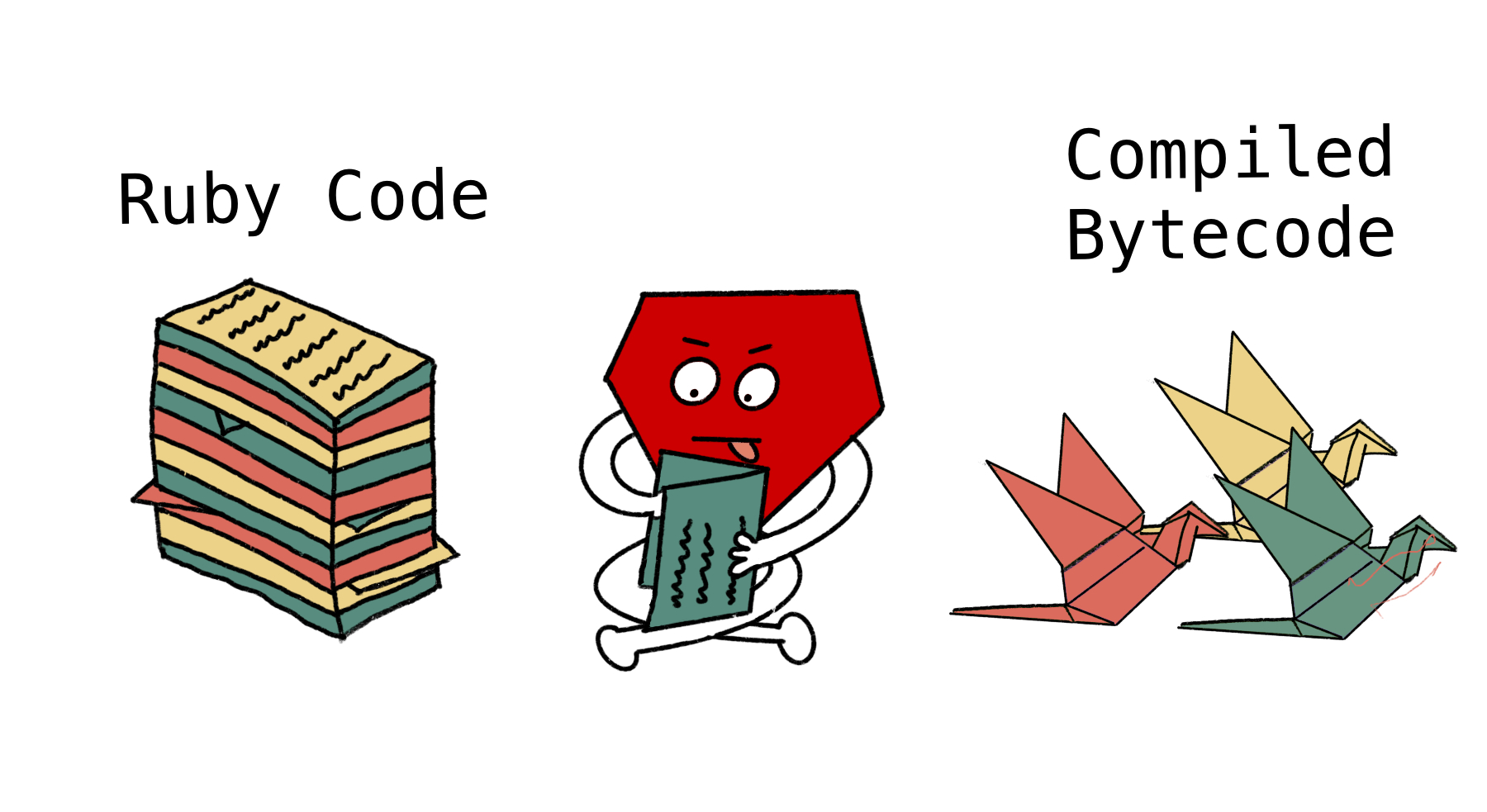
<p>This turns the Ruby file into a nice neat little package that the Ruby engine can then run. Specifically, it turns it into bytecode.</p>

<h4 id="what-is-bytecode">What is bytecode?</h4>

<p>Bytecode is a lower-level language, that can be interpreted by the Ruby Virtual Machine<sup id="fnref:byte-code-v-machine-code" role="doc-noteref"><a href="#fn:byte-code-v-machine-code" class="footnote" rel="footnote">5</a></sup>.</p>

<p>You can do this compilation step yourself to see what your Ruby code looks like when it has been turned into bytecode.</p>

<div class="language-ruby highlighter-rouge"><div class="highlight"><pre class="highlight"><code><span class="c1"># This method...</span>
<span class="k">def</span> <span class="nf">hello</span>
  <span class="nb">puts</span> <span class="s2">"hello, world"</span>
<span class="k">end</span>

<span class="c1"># When compiled by Ruby...</span>
<span class="nb">puts</span> <span class="no">RubyVM</span><span class="o">::</span><span class="no">InstructionSequence</span><span class="p">.</span><span class="nf">disasm</span><span class="p">(</span><span class="nb">method</span><span class="p">(</span><span class="ss">:hello</span><span class="p">))</span>

<span class="c1">## Turns into this bytecode...</span>

<span class="o">==</span> <span class="ss">disasm: </span><span class="o">&lt;</span><span class="no">RubyVM</span><span class="o">::</span><span class="no">InstructionSequence</span><span class="ss">:hello</span><span class="err">@</span><span class="o">/</span><span class="n">tmp</span><span class="o">/</span><span class="nb">method</span><span class="p">.</span><span class="nf">rb</span><span class="o">&gt;============</span>
<span class="mo">0000</span> <span class="n">trace</span>            <span class="mi">8</span>                                               <span class="p">(</span><span class="mi">1</span><span class="p">)</span>
<span class="mo">0002</span> <span class="n">trace</span>            <span class="mi">1</span>                                               <span class="p">(</span><span class="mi">2</span><span class="p">)</span>
<span class="mo">0004</span> <span class="n">putself</span>
<span class="mo">0005</span> <span class="n">putstring</span>        <span class="s2">"hello, world"</span>
<span class="mo">0007</span> <span class="nb">send</span>             <span class="ss">:puts</span><span class="p">,</span> <span class="mi">1</span><span class="p">,</span> <span class="kp">nil</span><span class="p">,</span> <span class="mi">8</span><span class="p">,</span> <span class="o">&lt;</span><span class="n">ic</span><span class="p">:</span><span class="mi">0</span><span class="o">&gt;</span>
<span class="mo">0013</span> <span class="n">trace</span>            <span class="mi">16</span>                                              <span class="p">(</span><span class="mi">3</span><span class="p">)</span>
<span class="mo">0015</span> <span class="n">leave</span>                                                            <span class="p">(</span><span class="mi">2</span><span class="p">)</span>
</code></pre></div></div>

<p>This process is deterministic. So a file compiled by the same version of ruby will always end up as the same bytecode.</p>

<p><em>(<a href="https://www.youtube.com/watch?v=ySuMOEVLaMw">This RailsConf talk by Maple Ong</a> gives a great description of how the Ruby Virtual Machine works.)</em></p>

<p><img src="/assets/origami-bytecode.png" alt="The Ruby Build Process" style="display:block; margin-left:auto; margin-right:auto" /></p>
<center><em></em></center>

<p>Given that this is an expensive process, it seems a little silly that we repeat the same task again and again, every time Rails boots up. Bootsnap has a different idea, why don’t we just cache the bytecode?</p>

<p>Bootsnap caches the bytecode in the <code class="language-plaintext highlighter-rouge">tmp</code> folder of your Rails application. Then, when Rails requires the file again, rather than having to re-compile the code into bytecode, it can just read the pre-compiled bytecode from disc. If the code changes, the cache will be busted, and the file will be re-compiled.</p>

<h2 id="so-how-much-faster-does-this-make-everything">So how much faster does this make everything?</h2>

<p>These two techniques together making rebooting Rails a lot faster. According to Shopify, using Bootsnap sped up their boot times from 25 seconds to 5 seconds. A pretty huge win for developer experience.</p>

<p>This is more noticeable with larger apps, but there’s a reasonable chance that this little gem is saving you a second or so every time you want to run a test or load up the Rails console.</p>

<p>So the next time you reload Rails, spare a thought for the friendly boot.</p>

<div class="footnotes" role="doc-endnotes">
  <ol>
    <li id="fn:mainly-a-development-issue" role="doc-endnote">
      <p>Worth bearing in mind though that this is really a developer experience problem. A production app is generally only rebooted occasionally, so boot time isn’t that much of an issue. <a href="#fnref:mainly-a-development-issue" class="reversefootnote" role="doc-backlink">&#8617;</a></p>
    </li>
    <li id="fn:only-useful-after-first-boot" role="doc-endnote">
      <p>So, the first time you ever load your Rails application, Bootsnap won’t make it load any faster. <a href="#fnref:only-useful-after-first-boot" class="reversefootnote" role="doc-backlink">&#8617;</a></p>
    </li>
    <li id="fn:hundreds-of-entries" role="doc-endnote">
      <p>I counted over 100 on a brand new Rails app. <a href="#fnref:hundreds-of-entries" class="reversefootnote" role="doc-backlink">&#8617;</a></p>
    </li>
    <li id="fn:how-much-requiring-does-rails-do" role="doc-endnote">
      <p>Of course with the Rails autoloader, all the files in your application code are already ‘autoloaded’, and so Ruby doesn’t need to check through the <code class="language-plaintext highlighter-rouge">$LOAD_PATH</code> for these. However, there are lots of other bits of Ruby code that Rails does need to <code class="language-plaintext highlighter-rouge">require</code> (for example, gems and code from the standard library). <a href="#fnref:how-much-requiring-does-rails-do" class="reversefootnote" role="doc-backlink">&#8617;</a></p>
    </li>
    <li id="fn:byte-code-v-machine-code" role="doc-endnote">
      <p>Bytecode is not as low-level as machine code. Machine code is written in binary, and is platform specific. When you compile a ‘C’ program, you need to compile it for a specific computer architecture. Ruby’s Virtual Machine means that your bytecode is platform independent, and can run on any computer than runs Ruby. <a href="#fnref:byte-code-v-machine-code" class="reversefootnote" role="doc-backlink">&#8617;</a></p>
    </li>
  </ol>
</div>]]></content><author><name></name></author><summary type="html"><![CDATA[Bootsnap is one of those unassuming gems, that sits in your project’s Gemfile without calling much attention to itself.]]></summary></entry><entry><title type="html">Loading files in Rails</title><link href="https://railsexplained.com/pages/loading-files-in-rails/" rel="alternate" type="text/html" title="Loading files in Rails" /><published>2023-07-20T00:00:00+00:00</published><updated>2023-07-20T00:00:00+00:00</updated><id>https://railsexplained.com/pages/loading-files-in-rails</id><content type="html" xml:base="https://railsexplained.com/pages/loading-files-in-rails/"><![CDATA[<p><strong><em>This post assumes that you’ve already read <a href="/pages/loading-files-in-ruby/">Part 1 - Loading Files In Ruby</a> . If you haven’t go follow that link and go and read it, then come back here.</em></strong></p>

<p>So we’ve gone through how Ruby loads files. But we’re still trying to work out how Rails does its magic trick of knowing about all your classes.</p>

<div class="language-ruby highlighter-rouge"><div class="highlight"><pre class="highlight"><code><span class="c1"># app/controllers/invoice_controller.rb</span>

<span class="k">class</span> <span class="nc">InvoiceController</span> <span class="o">&lt;</span> <span class="no">ApplicationController</span> <span class="c1"># 🪄🌈❓❗❓</span>
  <span class="c1"># some business logic</span>
<span class="k">end</span>
</code></pre></div></div>

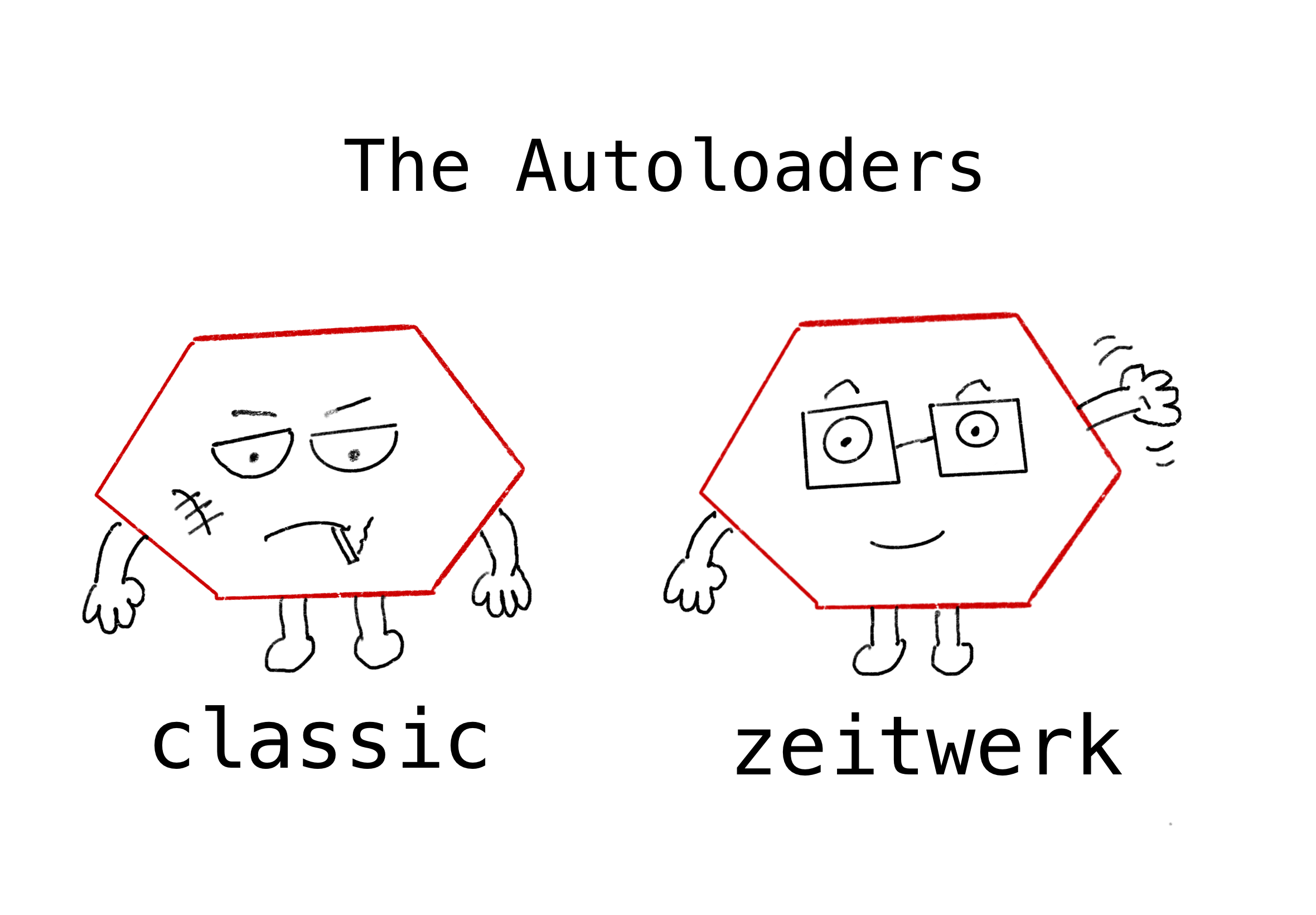
<p>I want to introduce you to two characters, let’s call them <em>Classic</em> and <em>Zeitwerk</em>. Here’s a picture of them:</p>

<p><img src="/assets/the_autoloaders.png" alt="The Autoloaders" /></p>
<center><em></em></center>
<p><br /></p>

<p>As you can probably tell, they’re very different characters.</p>

<ul>
  <li>
    <p><em>Zeitwerk</em> is organised, proactive and never makes mistakes. He’s a joy to work with (although some people think he’s a bit fussy).</p>
  </li>
  <li>
    <p><em>Classic</em> is the complete opposite. He does everything last minute, makes a lot of mistakes and is always one step away from being fired.</p>
  </li>
</ul>

<p>In this post, we’re going to look at the way that Rails used to load files (Classic), then we’re going to look at the new way (Zeitwerk).</p>
<h2 id="how-autoloading-used-to-work">How autoloading used to work</h2>

<p>Back in the day, Rails got Classic to do all the autoloading.</p>

<p>Classic’s approach for this was to read through all the code, and then when he hit a constant he hadn’t seen before, he quickly tried to find a file which contained that constant. For this, he relied pretty heavily on using<code class="language-plaintext highlighter-rouge">Object.const_missing</code>.</p>

<h3 id="im-sorry-whats-missing">I’m sorry, what’s missing?</h3>

<p><code class="language-plaintext highlighter-rouge">const_missing</code> is a cool ruby meta-programming trick that allows you to determine what happens when a constant is referenced that doesn’t exist. Normally, Ruby would raise a <code class="language-plaintext highlighter-rouge">NameError</code> if you refer to a non-existent constant.</p>

<p>But we can change that…</p>

<div class="language-ruby highlighter-rouge"><div class="highlight"><pre class="highlight"><code><span class="k">class</span> <span class="nc">Object</span>
  <span class="k">def</span> <span class="nc">self</span><span class="o">.</span><span class="nf">const_missing</span><span class="p">(</span><span class="n">c</span><span class="p">)</span>
    <span class="nb">puts</span> <span class="s2">"there is no such constant </span><span class="si">#{</span><span class="n">c</span><span class="si">}</span><span class="s2">!"</span>
  <span class="k">end</span>
<span class="k">end</span>

<span class="no">BANANA_NAME</span> <span class="o">=&gt;</span> <span class="s2">"there is no such constant BANANA_NAME!"</span>
<span class="no">APPLE_NAME</span> <span class="o">=&gt;</span> <span class="s2">"there is no such constant APPLE_NAME!"</span>
<span class="no">GRAPE_NAME</span> <span class="o">=&gt;</span> <span class="s2">"there is no such constant GRAPE_NAME!"</span>
</code></pre></div></div>
<p>Here, we’re re-opening the <code class="language-plaintext highlighter-rouge">Object</code> class and overriding <code class="language-plaintext highlighter-rouge">const_missing</code>. Now, instead of raising of raising an error, it prints a message to the user.</p>

<p>Where things really get interesting is where we use <code class="language-plaintext highlighter-rouge">const_missing</code> in combination with <a href="https://ruby-doc.org/core-2.6.4/Module.html#method-i-const_set"><code class="language-plaintext highlighter-rouge">const_set</code></a>. <code class="language-plaintext highlighter-rouge">Object.const_set</code> allows you to define (or redefine) any constant. So with these two methods working together, we can dynamically set a constant if we find that it doesn’t exist yet. 🤯</p>

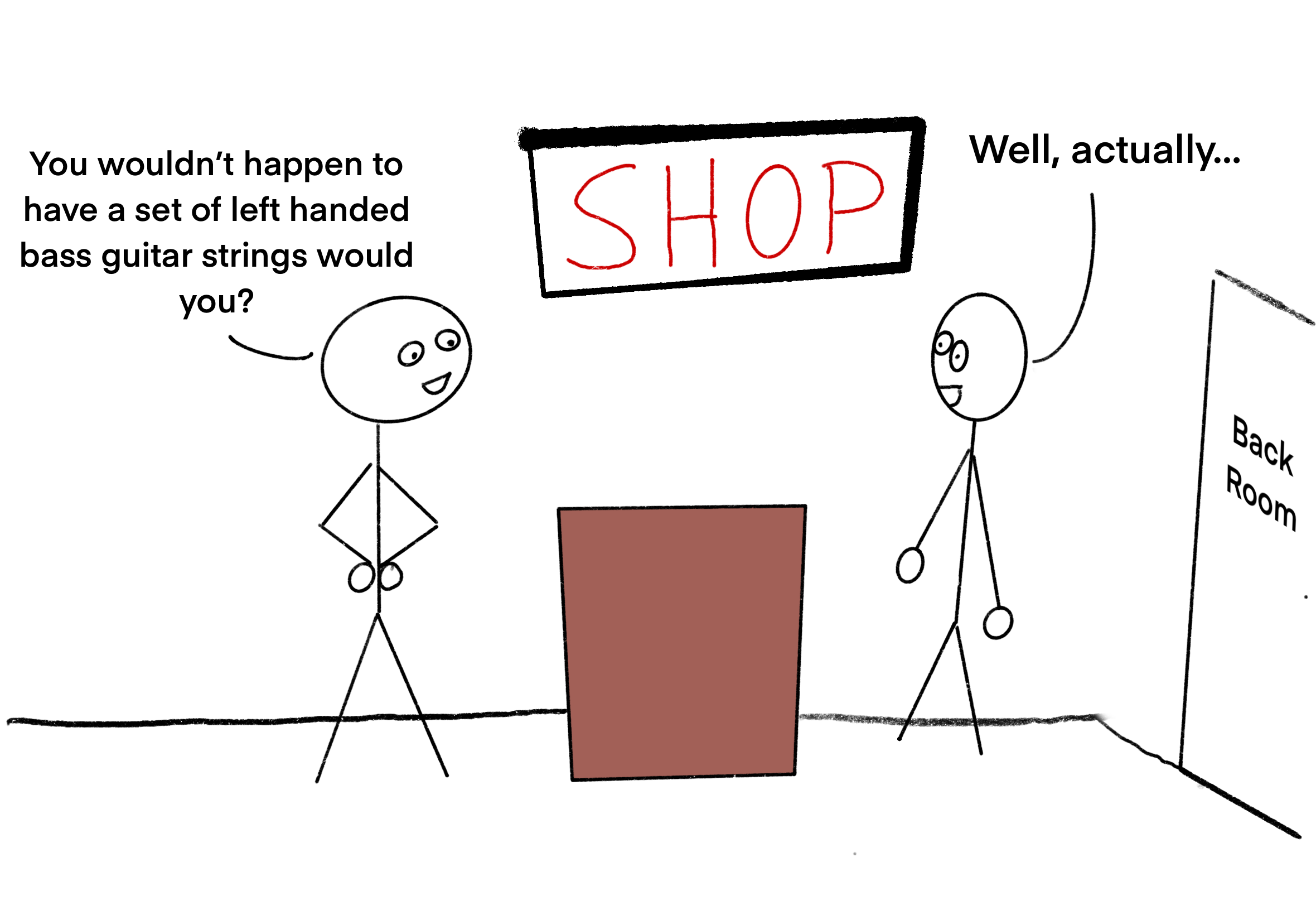
<p>Imagine a customer walking into a shop and asking for something that the shop doesn’t have in stock. Then imagine the shop owner going into the back and quickly making the item on the spot. They bring it out and the customer buys it.</p>

<p>That’s basically what we’re doing here.</p>

<p><img src="/assets/innovative_shopkeeper.png" alt="Inventive Shopkeeper" /></p>
<center><em>"I've nearly found them. Just give me one more minute and I'll definitely have found them"</em></center>
<p><br /></p>

<p>Here’s an example of this sort of thing:</p>

<div class="language-ruby highlighter-rouge"><div class="highlight"><pre class="highlight"><code><span class="k">class</span> <span class="nc">Object</span>
  <span class="k">def</span> <span class="nc">self</span><span class="o">.</span><span class="nf">const_missing</span><span class="p">(</span><span class="n">constant</span><span class="p">)</span>
    <span class="c1"># Turn `BANANA_NAME` into "Banana"</span>
    <span class="n">fruit_name</span> <span class="o">=</span> <span class="n">constant</span><span class="p">.</span><span class="nf">to_s</span><span class="p">.</span><span class="nf">split</span><span class="p">(</span><span class="s1">'_'</span><span class="p">).</span><span class="nf">first</span><span class="p">.</span><span class="nf">capitalize</span>  
    <span class="n">new_value</span> <span class="o">=</span> <span class="s2">"</span><span class="si">#{</span><span class="p">[</span><span class="s2">"Tim"</span><span class="p">,</span> <span class="s2">"Ann"</span><span class="p">,</span> <span class="s2">"Bob"</span><span class="p">,</span> <span class="s2">"Ada"</span><span class="p">].</span><span class="nf">sample</span><span class="si">}</span><span class="s2"> the </span><span class="si">#{</span><span class="n">fruit_name</span><span class="si">}</span><span class="s2">"</span> 
    
    <span class="c1"># Sets the value of the constant (for any future references)</span>
    <span class="nb">const_set</span><span class="p">(</span><span class="n">constant</span><span class="p">,</span> <span class="n">new_value</span><span class="p">)</span>
    
    <span class="c1"># Now we return the new value of `BANANA_NAME`</span>
    <span class="n">new_value</span>
  <span class="k">end</span>
<span class="k">end</span>

<span class="no">BANANA_NAME</span> <span class="o">=&gt;</span> <span class="s2">"Tim the Banana"</span>
<span class="no">APPLE_NAME</span> <span class="o">=&gt;</span> <span class="s2">"Ann the Apple"</span>
<span class="no">GRAPE_NAME</span> <span class="o">=&gt;</span> <span class="s2">"Bob the Grape"</span>
</code></pre></div></div>
<p>This is the trick that Rails (and Classic) relied on for many years.</p>
<h2 id="so-how-did-this-work-in-rails">So how did this work in Rails?</h2>

<p>When Ruby hits <code class="language-plaintext highlighter-rouge">ApplicationController</code>, it tries to find this class using its <a href="https://cirw.in/blog/constant-lookup.html">Constant Lookup Hierarchy</a>.</p>

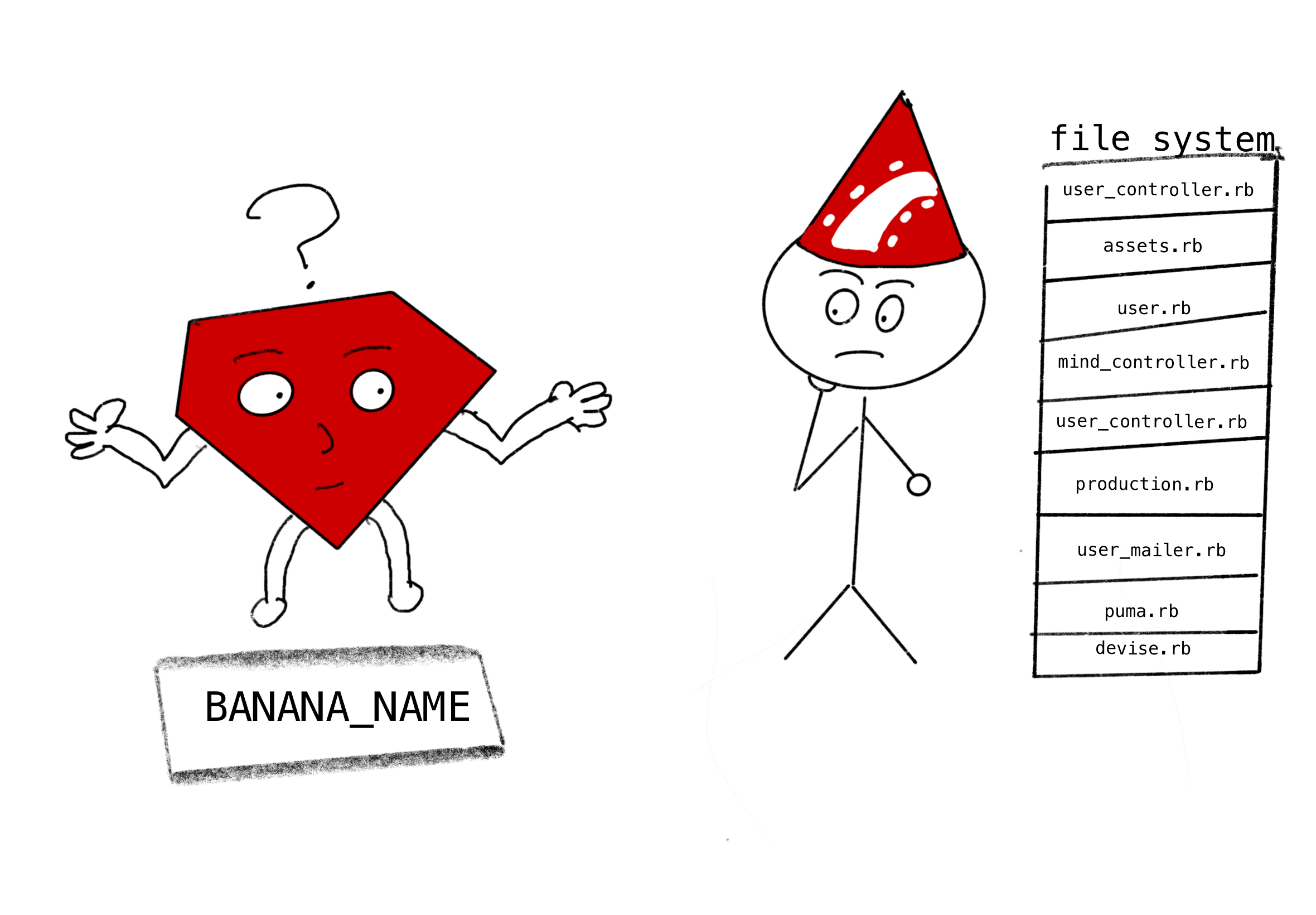
<p>If Ruby hasn’t seen the constant before, then it will go all the way through the Constant Lookup Hierarchy, and find nothing. Ruby’s next step is to trigger <code class="language-plaintext highlighter-rouge">Object.const_missing</code>. This effectively hands the task of finding this class over to Rails, because Classic has overridden <code class="language-plaintext highlighter-rouge">const_missing</code>.</p>

<p><img src="/assets/ruby_passing_the_baton.png" alt="Ruby passing the baton" /></p>
<center><em>"I know where I might be able to find that constant" thinks the Rails wizard</em></center>
<p><br /></p>

<p>In Classic’s version of <code class="language-plaintext highlighter-rouge">Object.const_missing</code> , it would convert the class name to <code class="language-plaintext highlighter-rouge">snake_case</code> then try to load a file of that name.</p>

<p>Here’s a rough idea of how that worked:</p>

<div class="language-ruby highlighter-rouge"><div class="highlight"><pre class="highlight"><code><span class="k">class</span> <span class="nc">Object</span>
  <span class="k">def</span> <span class="nc">self</span><span class="o">.</span><span class="nf">const_missing</span><span class="p">(</span><span class="n">constant</span><span class="p">)</span>
    <span class="c1"># translates `ApplicationController` to `application_controller`</span>
    <span class="n">underscored_version_of_constant_name</span> <span class="o">=</span> <span class="n">constant</span><span class="p">.</span><span class="nf">to_s</span><span class="p">.</span><span class="nf">underscore</span>
    
    <span class="c1"># here we `require` the file `application_controller`, thus loading </span>
    <span class="c1"># the missing constant `ApplicationController`</span>
    <span class="nb">require</span> <span class="n">constant</span><span class="p">.</span><span class="nf">to_s</span><span class="p">.</span><span class="nf">underscore</span> 
    
    <span class="c1"># now we fetch (and return) the - no longer missing! - `</span>
    <span class="c1"># ApplicationController` constant</span>
    <span class="no">Object</span><span class="p">.</span><span class="nf">const_get</span><span class="p">(</span><span class="n">constant</span><span class="p">)</span> 
  <span class="k">end</span>
<span class="k">end</span>
</code></pre></div></div>
<center><em><strong>Important caveat!</strong> The code above is just a rough example of how Rails used to do it. The actual classic autoloader version of `const_missing` was much more complex and coped with a bunch of edge-cases. </em></center>
<p><br /></p>

<h2 id="what-was-wrong-with-how-classic-did-things">What was wrong with how Classic did things?</h2>

<p>This approach worked for many years, but it came with some problems.</p>

<p>I said earlier that Classic made a lot of mistakes. You can see a long list of these mistakes in <a href="https://guides.rubyonrails.org/v5.2/autoloading_and_reloading_constants.html#common-gotchas">the Rails Guide for version 5.2</a> (the last version that still exclusively used the Classic autoloader).</p>

<p>Here’s an example of one of them, imagine the code below:</p>

<div class="language-ruby highlighter-rouge"><div class="highlight"><pre class="highlight"><code><span class="c1"># date.rb</span>
<span class="k">class</span> <span class="nc">Date</span>
  <span class="k">def</span> <span class="nf">initialize</span>
    <span class="nb">puts</span> <span class="s2">"Would you like to go on a date with me ❤️?"</span>
  <span class="k">end</span>
<span class="k">end</span>
</code></pre></div></div>

<div class="language-ruby highlighter-rouge"><div class="highlight"><pre class="highlight"><code><span class="c1"># supermarket/date.rb</span>
<span class="k">module</span> <span class="nn">SuperMarket</span>
  <span class="k">class</span> <span class="nc">Date</span>
    <span class="k">def</span> <span class="nf">initialize</span>
      <span class="nb">puts</span> <span class="s2">"Would you like to buy one of these tasty dates? 🌴"</span>
    <span class="k">end</span>
  <span class="k">end</span>
<span class="k">end</span>
</code></pre></div></div>

<div class="language-ruby highlighter-rouge"><div class="highlight"><pre class="highlight"><code><span class="c1"># supermarket/dried_fruits.rb</span>
<span class="k">module</span> <span class="nn">Supermarket</span>
  <span class="k">class</span> <span class="nc">DriedFruits</span>
    <span class="k">def</span> <span class="nf">initialize</span>
      <span class="vi">@date</span> <span class="o">=</span> <span class="no">Date</span><span class="p">.</span><span class="nf">new</span>
    <span class="k">end</span>
  <span class="k">end</span>
<span class="k">end</span>
</code></pre></div></div>

<p>So we have a couple of <code class="language-plaintext highlighter-rouge">Date</code> classes, which we definitely don’t want to mix up (🌴 != ❤️)</p>

<p>If we first call <code class="language-plaintext highlighter-rouge">Supermarket::DriedFruits.new</code>, before any references are made to either of the <code class="language-plaintext highlighter-rouge">Date</code> classes, everything works as expected:</p>

<div class="language-ruby highlighter-rouge"><div class="highlight"><pre class="highlight"><code><span class="o">&gt;</span> <span class="no">Supermarket</span><span class="o">::</span><span class="no">DriedFruits</span><span class="p">.</span><span class="nf">new</span>
<span class="no">Would</span> <span class="n">you</span> <span class="n">like</span> <span class="n">to</span> <span class="n">buy</span> <span class="n">one</span> <span class="n">of</span> <span class="n">these</span> <span class="n">tasty</span> <span class="n">dates</span> <span class="err">🌴</span><span class="p">?</span>
<span class="err">✅</span>
</code></pre></div></div>
<p>Ruby doesn’t know about either of the <code class="language-plaintext highlighter-rouge">Date</code> classes, so we trigger <code class="language-plaintext highlighter-rouge">const_missing</code>. The Classic autoloader does its thing and loads the correct class.</p>

<p>But! If you first referenced one of the top-level (romantic) dates, then we get different behaviour.</p>

<div class="language-ruby highlighter-rouge"><div class="highlight"><pre class="highlight"><code><span class="o">&gt;</span> <span class="no">Date</span><span class="p">.</span><span class="nf">new</span>
<span class="no">Would</span> <span class="n">you</span> <span class="n">like</span> <span class="n">to</span> <span class="n">go</span> <span class="n">on</span> <span class="n">a</span> <span class="n">date</span> <span class="n">with</span> <span class="n">me</span> <span class="err">❤️</span><span class="p">?</span>
<span class="err">✅</span>

<span class="o">&gt;</span> <span class="no">Supermarket</span><span class="o">::</span><span class="no">DriedFruits</span><span class="p">.</span><span class="nf">new</span>
<span class="no">Would</span> <span class="n">you</span> <span class="n">like</span> <span class="n">to</span> <span class="n">go</span> <span class="n">on</span> <span class="n">a</span> <span class="n">date</span> <span class="n">with</span> <span class="n">me</span> <span class="err">❤️</span><span class="p">?</span>
<span class="err">❌</span>
</code></pre></div></div>

<p>This happens because Classic autoloading is only triggered if Ruby is unable to first find a constant of that name in it’s constant lookup hierarchy. In the above example, Ruby looks in the following places:</p>

<div class="language-ruby highlighter-rouge"><div class="highlight"><pre class="highlight"><code><span class="no">Supermarket</span><span class="o">::</span><span class="no">DriedFruit</span><span class="o">::</span><span class="no">Date</span> <span class="c1"># nope </span>
<span class="no">Supermarket</span><span class="o">::</span><span class="no">Date</span> <span class="c1"># nope - `supermarket/date.rb` has not been loaded yet!</span>
<span class="o">::</span><span class="no">Date</span> <span class="c1"># aha! I found a Date class!</span>
</code></pre></div></div>

<p>It already knows about a <code class="language-plaintext highlighter-rouge">Date</code> class, so we never get to <code class="language-plaintext highlighter-rouge">const_missing</code> and <code class="language-plaintext highlighter-rouge">supermarket/date.rb</code> doesn’t get loaded. 😞</p>

<p>Having the value of constants depend on the order that are referenced is some pretty crazy behaviour.</p>

<p>So the old autoloader was a bit of a hack. It also completely ignored the perfectly nice <code class="language-plaintext highlighter-rouge">autoload</code> functionality that already existed in Ruby (as we discussed in <a href="/pages/loading-files-in-ruby/">Part 1</a>…). You’d think if you were going to implement an autoloader you would use <code class="language-plaintext highlighter-rouge">autoload</code> - right?</p>

<p>And, as we’ll see, that’s exactly how Zeitwerk likes to do things.</p>

<h2 id="so-how-does-zeitwerk-do-it">So how does <code class="language-plaintext highlighter-rouge">zeitwerk</code> do it?</h2>

<p>Zeitwerk doesn’t wait to find a constant that is has not seen before. Zeitwerk is proactive.</p>

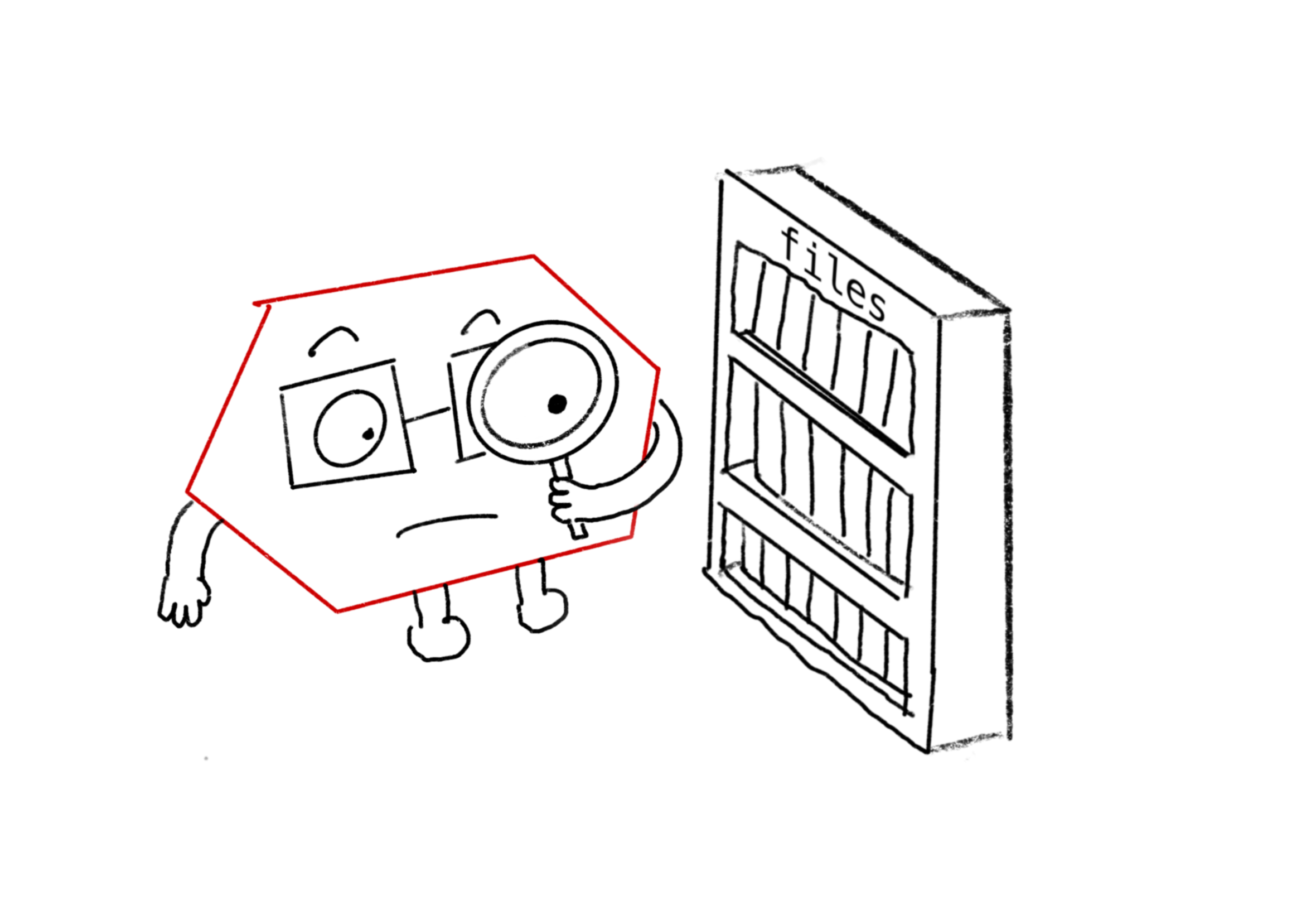
<p>Before looking at any of the application code, Zeitwek first scans all the autoload paths when the app loads.</p>

<p><img src="/assets/zeitwerk_looking_at_files.png" alt="Ruby passing the baton" /></p>
<center><em>Zeitwerk scanning all your application's autoload paths</em></center>
<p><br /></p>

<p>It then creates a bunch of <code class="language-plaintext highlighter-rouge">autoload</code> statements, based on the files it has seen, and assumptions about what the classes in those files are likely to be called.</p>

<div class="language-ruby highlighter-rouge"><div class="highlight"><pre class="highlight"><code><span class="c1"># Zeitwerk sees:</span>
<span class="sb">`application_controller.rb`</span>
<span class="c1"># Zeitwerk assumes this class exists:</span>
<span class="o">=&gt;</span> <span class="no">ApplicationController</span>
<span class="c1"># So Zeitwerk autoloads:</span>
<span class="nb">autoload</span><span class="p">(</span><span class="ss">:ApplicationController</span><span class="p">,</span> <span class="s1">'application_controller.rb'</span><span class="p">)</span>

<span class="c1"># Zeitwerk sees:</span>
<span class="sb">`supermarket/date.rb`</span>
<span class="c1"># Zeitwerk assumes this class exists:</span>
<span class="o">=&gt;</span> <span class="no">Supermarketr</span><span class="o">::</span><span class="no">Date</span>
<span class="c1"># So Zeitwerk autoloads:</span>
<span class="no">Supermarket</span><span class="p">.</span><span class="nf">autoload</span><span class="p">(</span><span class="ss">:Date</span><span class="p">,</span> <span class="s1">'supermarket/date.rb'</span><span class="p">)</span>
</code></pre></div></div>

<p>So to go back to our earlier example, this is Ruby’s new search through the Constant Lookup Hierarchy.</p>

<div class="language-ruby highlighter-rouge"><div class="highlight"><pre class="highlight"><code><span class="no">Supermarket</span><span class="o">::</span><span class="no">DriedFruit</span><span class="o">::</span><span class="no">Date</span> <span class="c1"># nope </span>
<span class="no">Supermarket</span><span class="o">::</span><span class="no">Date</span> <span class="c1"># I have an autoload for that! Let's load the file!</span>
</code></pre></div></div>

<p>By using Ruby’s in-built <code class="language-plaintext highlighter-rouge">autoload</code> functionality, rather than hacking around it, we bypass all the problems we saw with the Classic autoloader.</p>

<p><strong>By creating these autoload statements when your app first boots, the required classes can then be loaded while Ruby is searching the Constant Lookup Hierarchy, rather than waiting for this search to finish</strong></p>

<p>So, the new autoloader is much better than the old one, and everyone is happy about it.  🎉🌈</p>

<p>In 2021, the Rails wizard finally fired Classic (Rails 7 no longer supports the <code class="language-plaintext highlighter-rouge">classic</code> autoloader), and the long list of autoloading “Gotchas” was removed from the Rails guides.</p>

<h2 id="one-small-problem">One small problem</h2>

<p>However, remember I mentioned before that Zeitwerk was a bit fussy? It’s not his fault really, it’s just the way he likes to work.</p>

<p>You see, while Classic found the class name, then guessed the file name:</p>

<div class="language-ruby highlighter-rouge"><div class="highlight"><pre class="highlight"><code><span class="c1"># Classic</span>
<span class="s2">"ClassName"</span><span class="p">.</span><span class="nf">underscore</span> <span class="o">=&gt;</span> <span class="s2">"class_name"</span>
</code></pre></div></div>

<p>Zeitwerk finds the file name and then guesses the class name:</p>

<div class="language-ruby highlighter-rouge"><div class="highlight"><pre class="highlight"><code><span class="c1"># Zeitwerk</span>
<span class="s2">"class_name"</span><span class="p">.</span><span class="nf">camelize</span> <span class="o">=&gt;</span> <span class="s2">"ClassName"</span>
</code></pre></div></div>

<p>But actually, it’s harder to guess class names from file names than the other way round, because of Rails conventions about file and class naming. Files are always follow the <code class="language-plaintext highlighter-rouge">snake_case</code> format, eg <code class="language-plaintext highlighter-rouge">api.rb</code>. However, the class name in this file could be either <code class="language-plaintext highlighter-rouge">API</code> or <code class="language-plaintext highlighter-rouge">Api</code>.</p>

<p>It’s not a big problem. Zeitwerk can handle either situation, you just need to let him know 🙂.</p>

<p>There are a few other things to be aware of if you’re upgrading a Rails app that currently uses the classic autoloader, which <a href="https://guides.rubyonrails.org/classic_to_zeitwerk_howto.html">you can find here</a>.</p>

<h2 id="still-hungry-for-more-autoloading">Still hungry for more autoloading?</h2>
<p>If you want to keep learning about how Rails loads files, below is a great talk from <a href="https://github.com/fxn">Xavier Nora</a> (who created <code class="language-plaintext highlighter-rouge">zeitwerk</code>) about how he did it.</p>

<div class="embed-container">
  <iframe src="https://www.youtube.com/embed/DzyGdOd_6-Y?start=" width="700" height="480" frameborder="0" allowfullscreen="true">
  </iframe>
</div>]]></content><author><name></name></author><summary type="html"><![CDATA[This post assumes that you’ve already read Part 1 - Loading Files In Ruby . If you haven’t go follow that link and go and read it, then come back here.]]></summary></entry><entry><title type="html">Loading files in Ruby</title><link href="https://railsexplained.com/pages/loading-files-in-ruby/" rel="alternate" type="text/html" title="Loading files in Ruby" /><published>2023-07-19T00:00:00+00:00</published><updated>2023-07-19T00:00:00+00:00</updated><id>https://railsexplained.com/pages/loading-files-in-ruby</id><content type="html" xml:base="https://railsexplained.com/pages/loading-files-in-ruby/"><![CDATA[<p><strong>This post is split into two parts. First we’re going to talk about how Ruby finds other files. Then, once we’ve got our head around that, we’re going to look at the extra sprinkles of magic that Rails adds on top.</strong></p>

<p><strong>(If you’re something of a Ruby magician already, and you’re just looking for the Rails bits, you can skip straight ahead to <a href="/pages/loading-files-in-rails/">Part 2 - Loading Files in Rails</a>)</strong></p>

<p>Have you ever wondered: <em>“How does Rails knows about all the classes in my app?”</em></p>

<p>Look at the code below:</p>

<div class="language-ruby highlighter-rouge"><div class="highlight"><pre class="highlight"><code><span class="c1"># app/controllers/invoice_controller.rb</span>

<span class="k">class</span> <span class="nc">InvoiceController</span> <span class="o">&lt;</span> <span class="no">ApplicationController</span>
  <span class="c1"># some business logic</span>
<span class="k">end</span>
</code></pre></div></div>
<p>How does your code know about <code class="language-plaintext highlighter-rouge">ApplicationController</code>? You never explicitly told Rails that <code class="language-plaintext highlighter-rouge">ApplicationController</code> existed, but it didn’t blink when it saw it for the first time.</p>

<p>Rails just seems to have a sixth sense for these sorts of things.</p>

<p><img src="/assets/smug_rails_wizard.png" alt="Smug Rails wizard" /></p>
<center><em>(The Rails wizard looks smug, because people don't know how he does his tricks.)</em></center>
<p><br /></p>

<p>This will be extra confusing if you come from a language like Python or Javascript. In those languages, you generally need to add <code class="language-plaintext highlighter-rouge">import</code> statements to the top of every file specifying where to find code that you want to use (which can get pretty tedious).</p>

<p>How come Rails can get away without  <code class="language-plaintext highlighter-rouge">import</code> statements? And is this a good thing or a bad thing? As we’ll discover, Ruby and Rails both have a few tricks that help us get around the tediousness of manually importing files</p>

<h2 id="how-we-load-files-in-ruby">How we load files in Ruby</h2>

<p>If you’ve written simple Ruby programs you’ll know that we do need to use the <code class="language-plaintext highlighter-rouge">require</code> method to load code from other files.</p>

<p>Here’s a nice <code class="language-plaintext highlighter-rouge">Book</code> class I wrote:</p>

<div class="language-ruby highlighter-rouge"><div class="highlight"><pre class="highlight"><code><span class="c1"># book.rb</span>

<span class="k">class</span> <span class="nc">Book</span>
  <span class="nb">attr_reader</span> <span class="ss">:title</span>

  <span class="k">def</span> <span class="nf">initialize</span><span class="p">(</span><span class="n">title</span><span class="p">)</span>
    <span class="vi">@title</span> <span class="o">=</span> <span class="n">title</span>
  <span class="k">end</span>
<span class="k">end</span>
</code></pre></div></div>

<p>And here’s a <code class="language-plaintext highlighter-rouge">Bookshelf</code> class (which obviously needs to know about <code class="language-plaintext highlighter-rouge">Books</code>):</p>

<div class="language-ruby highlighter-rouge"><div class="highlight"><pre class="highlight"><code><span class="c1"># bookshelf.rb</span>

<span class="k">class</span> <span class="nc">BookShelf</span>
  <span class="nb">attr_reader</span> <span class="ss">:books</span>

  <span class="k">def</span> <span class="nf">initialize</span>
    <span class="vi">@books</span> <span class="o">=</span> <span class="p">[</span><span class="no">Book</span><span class="p">.</span><span class="nf">new</span><span class="p">(</span><span class="s1">'Catch 22'</span><span class="p">)]</span>
  <span class="k">end</span>
<span class="k">end</span>

<span class="nb">p</span> <span class="no">BookShelf</span><span class="p">.</span><span class="nf">new</span><span class="p">.</span><span class="nf">books</span><span class="p">.</span><span class="nf">map</span><span class="p">(</span><span class="o">&amp;</span><span class="ss">:title</span><span class="p">)</span>
</code></pre></div></div>

<p>The two files are sitting next to each other in the same directory:</p>

<div class="language-plaintext highlighter-rouge"><div class="highlight"><pre class="highlight"><code>$: tree
.
├── bookshelf.rb
└── book.rb
</code></pre></div></div>

<p>Now, if we try and run <code class="language-plaintext highlighter-rouge">$: ruby bookshelf.rb</code>, we’ll get a <code class="language-plaintext highlighter-rouge">NameError</code>.</p>

<div class="language-bash highlighter-rouge"><div class="highlight"><pre class="highlight"><code>bookshelf.rb:7:in <span class="sb">`</span>initialize<span class="s1">': uninitialized constant BookShelf::Book (NameError)

    @books = [Book.new('</span>Catch 22<span class="s1">')]
</span></code></pre></div></div>

<p>Ruby has never heard of the <code class="language-plaintext highlighter-rouge">Book</code> class. 😞</p>

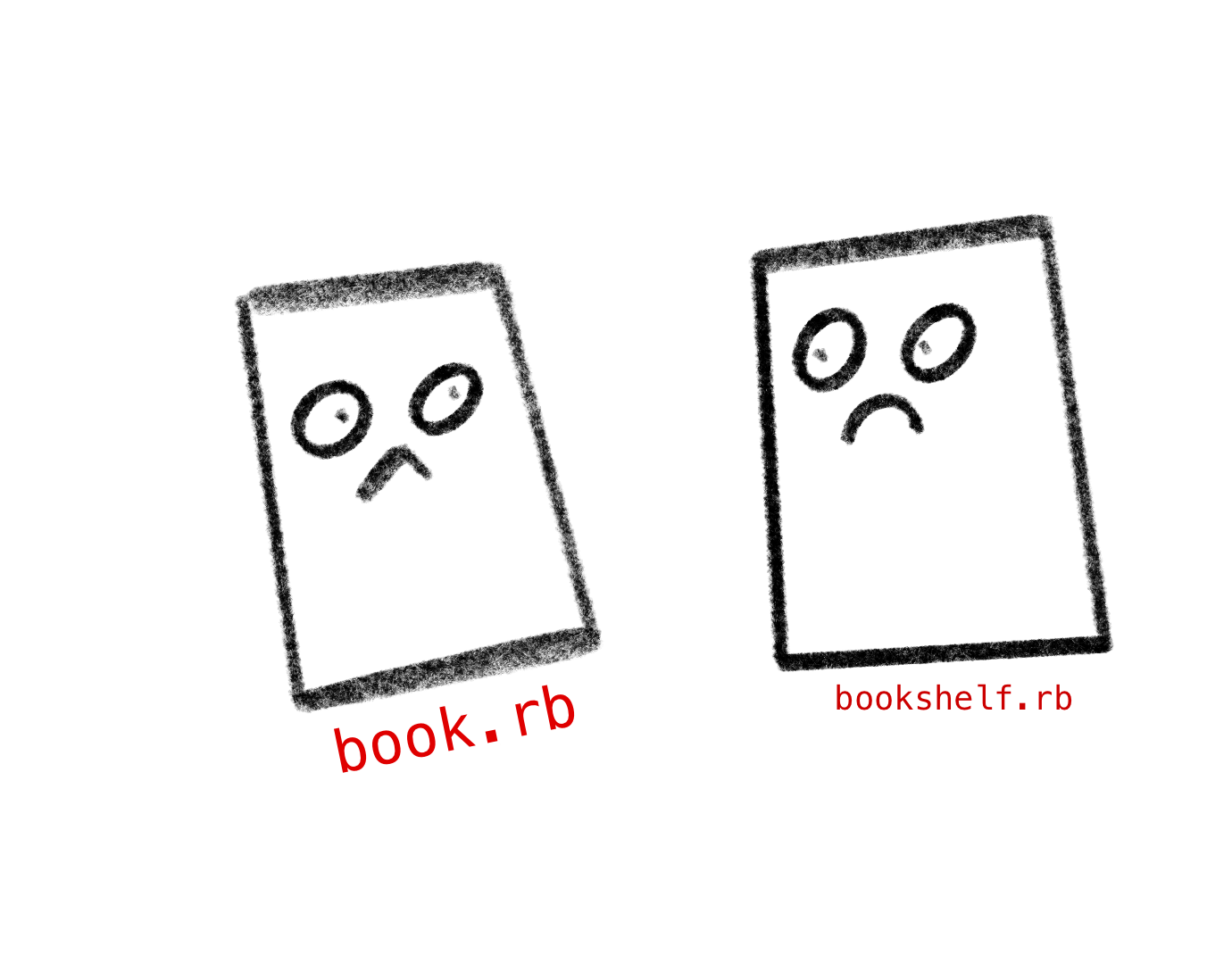
<p><img src="/assets/two_sad_ruby_files.png" alt="two sad ruby files who can't talk to each other even though they are next to each other" /></p>
<center><em>Two sad ruby files who can't talk to each other.</em></center>
<p><br /></p>

<p>But! If we add <code class="language-plaintext highlighter-rouge">require './book'</code> to the top of <code class="language-plaintext highlighter-rouge">bookshelf.rb</code>, the code runs successfully.</p>

<div class="language-bash highlighter-rouge"><div class="highlight"><pre class="highlight"><code><span class="nv">$:</span> ruby bookshelf.rb
<span class="o">[</span><span class="s2">"Catch 22"</span><span class="o">]</span>
</code></pre></div></div>

<p>So how does this work?</p>

<h2 id="what-does-require-do">What does <code class="language-plaintext highlighter-rouge">require</code> do?</h2>

<p>To understand <code class="language-plaintext highlighter-rouge">require</code>, we need to understand the <code class="language-plaintext highlighter-rouge">$LOAD_PATH</code>. The <code class="language-plaintext highlighter-rouge">$LOAD_PATH</code> is a Ruby global variable (<a href="https://ruby-doc.org/docs/ruby-doc-bundle/UsersGuide/rg/globalvars.html">notice the <code class="language-plaintext highlighter-rouge">$</code></a>) which references an array of strings. Each of the strings is the file path to a directory.</p>

<p>Here’s my <code class="language-plaintext highlighter-rouge">$LOAD_PATH</code>:</p>

<div class="language-ruby highlighter-rouge"><div class="highlight"><pre class="highlight"><code><span class="n">irb</span><span class="p">(</span><span class="n">main</span><span class="p">):</span><span class="mo">003</span><span class="p">:</span><span class="mi">0</span><span class="o">&gt;</span> <span class="nb">puts</span> <span class="vg">$LOAD_PATH</span>
<span class="sr">/opt/</span><span class="n">homebrew</span><span class="o">/</span><span class="no">Cellar</span><span class="o">/</span><span class="n">rbenv</span><span class="o">/</span><span class="mf">1.2</span><span class="o">.</span><span class="mi">0</span><span class="o">/</span><span class="n">rbenv</span><span class="p">.</span><span class="nf">d</span><span class="o">/</span><span class="nb">exec</span><span class="o">/</span><span class="n">gem</span><span class="o">-</span><span class="n">rehash</span>
<span class="sr">/Users/o</span><span class="n">lly</span><span class="o">/</span><span class="p">.</span><span class="nf">rbenv</span><span class="o">/</span><span class="n">versions</span><span class="o">/</span><span class="mf">2.7</span><span class="o">.</span><span class="mi">2</span><span class="o">/</span><span class="n">lib</span><span class="o">/</span><span class="n">ruby</span><span class="o">/</span><span class="n">site_ruby</span><span class="o">/</span><span class="mf">2.7</span><span class="o">.</span><span class="mi">0</span>
<span class="sr">/Users/o</span><span class="n">lly</span><span class="o">/</span><span class="p">.</span><span class="nf">rbenv</span><span class="o">/</span><span class="n">versions</span><span class="o">/</span><span class="mf">2.7</span><span class="o">.</span><span class="mi">2</span><span class="o">/</span><span class="n">lib</span><span class="o">/</span><span class="n">ruby</span><span class="o">/</span><span class="n">site_ruby</span><span class="o">/</span><span class="mf">2.7</span><span class="o">.</span><span class="mi">0</span><span class="o">/</span><span class="n">arm64</span><span class="o">-</span><span class="n">darwin20</span>
<span class="sr">/Users/o</span><span class="n">lly</span><span class="o">/</span><span class="p">.</span><span class="nf">rbenv</span><span class="o">/</span><span class="n">versions</span><span class="o">/</span><span class="mf">2.7</span><span class="o">.</span><span class="mi">2</span><span class="o">/</span><span class="n">lib</span><span class="o">/</span><span class="n">ruby</span><span class="o">/</span><span class="n">site_ruby</span>
<span class="sr">/Users/o</span><span class="n">lly</span><span class="o">/</span><span class="p">.</span><span class="nf">rbenv</span><span class="o">/</span><span class="n">versions</span><span class="o">/</span><span class="mf">2.7</span><span class="o">.</span><span class="mi">2</span><span class="o">/</span><span class="n">lib</span><span class="o">/</span><span class="n">ruby</span><span class="o">/</span><span class="n">vendor_ruby</span><span class="o">/</span><span class="mf">2.7</span><span class="o">.</span><span class="mi">0</span>
<span class="sr">/Users/o</span><span class="n">lly</span><span class="o">/</span><span class="p">.</span><span class="nf">rbenv</span><span class="o">/</span><span class="n">versions</span><span class="o">/</span><span class="mf">2.7</span><span class="o">.</span><span class="mi">2</span><span class="o">/</span><span class="n">lib</span><span class="o">/</span><span class="n">ruby</span><span class="o">/</span><span class="n">vendor_ruby</span><span class="o">/</span><span class="mf">2.7</span><span class="o">.</span><span class="mi">0</span><span class="o">/</span><span class="n">arm64</span><span class="o">-</span><span class="n">darwin20</span>
<span class="sr">/Users/o</span><span class="n">lly</span><span class="o">/</span><span class="p">.</span><span class="nf">rbenv</span><span class="o">/</span><span class="n">versions</span><span class="o">/</span><span class="mf">2.7</span><span class="o">.</span><span class="mi">2</span><span class="o">/</span><span class="n">lib</span><span class="o">/</span><span class="n">ruby</span><span class="o">/</span><span class="n">vendor_ruby</span>
<span class="sr">/Users/o</span><span class="n">lly</span><span class="o">/</span><span class="p">.</span><span class="nf">rbenv</span><span class="o">/</span><span class="n">versions</span><span class="o">/</span><span class="mf">2.7</span><span class="o">.</span><span class="mi">2</span><span class="o">/</span><span class="n">lib</span><span class="o">/</span><span class="n">ruby</span><span class="o">/</span><span class="mf">2.7</span><span class="o">.</span><span class="mi">0</span>
<span class="sr">/Users/o</span><span class="n">lly</span><span class="o">/</span><span class="p">.</span><span class="nf">rbenv</span><span class="o">/</span><span class="n">versions</span><span class="o">/</span><span class="mf">2.7</span><span class="o">.</span><span class="mi">2</span><span class="o">/</span><span class="n">lib</span><span class="o">/</span><span class="n">ruby</span><span class="o">/</span><span class="mf">2.7</span><span class="o">.</span><span class="mi">0</span><span class="o">/</span><span class="n">arm64</span><span class="o">-</span><span class="n">darwin20</span>
<span class="o">=&gt;</span> <span class="kp">nil</span>
</code></pre></div></div>

<p>When we call the <code class="language-plaintext highlighter-rouge">require</code> method below, Ruby will look in each of the directories listed in the <code class="language-plaintext highlighter-rouge">$LOAD_PATH</code> to try and find a file called <code class="language-plaintext highlighter-rouge">byebug.rb</code> in them.</p>

<div class="language-ruby highlighter-rouge"><div class="highlight"><pre class="highlight"><code><span class="n">irb</span><span class="p">(</span><span class="n">main</span><span class="p">):</span><span class="mo">002</span><span class="p">:</span><span class="mi">0</span><span class="o">&gt;</span> <span class="nb">require</span> <span class="s1">'byebug'</span>
<span class="o">=&gt;</span> <span class="kp">true</span>
</code></pre></div></div>

<p><img src="/assets/ruby_looking_inside_the_load_path.png" alt="Those are supposed to look like lockers" /></p>
<center><em>Ruby getting ready to search the `$LOAD_PATH`</em></center>
<center><em>(Those are supposed to be lockers.)</em></center>
<p><br /></p>

<p>We can tell that it found one, because it returns <code class="language-plaintext highlighter-rouge">true</code>. If Ruby can’t find a <code class="language-plaintext highlighter-rouge">byebug.rb</code> file within those directories, it will throw a <code class="language-plaintext highlighter-rouge">LoadError</code>.</p>

<p>We can check that there definitely is a file called <code class="language-plaintext highlighter-rouge">byebug.rb</code>, if we run the following command from the console:</p>

<div class="language-bash highlighter-rouge"><div class="highlight"><pre class="highlight"><code><span class="nv">$:</span> gem which byebug
/Users/olly/.rbenv/versions/2.7.2/lib/ruby/gems/2.7.0/gems/byebug-11.1.3/lib/byebug.rb
</code></pre></div></div>

<p>There it is! Ruby wasn’t lying.</p>

<h2 id="finding-your-own-code">Finding your own code</h2>

<p>This is all nice and simple for gems like <code class="language-plaintext highlighter-rouge">byebug</code>. These files are automatically added to directories in the <code class="language-plaintext highlighter-rouge">$LOAD_PATH</code>. But what if we want to <code class="language-plaintext highlighter-rouge">require</code> some of our own code?</p>

<p>If you look at the directories listed in the <code class="language-plaintext highlighter-rouge">$LOAD_PATH</code>, you won’t see the directory of the current file<sup id="fnref:dot-used-to-be-in-load-path" role="doc-noteref"><a href="#fn:dot-used-to-be-in-load-path" class="footnote" rel="footnote">1</a></sup>. This is a shame if you want to make an app with a bunch of related files and put them all in the same directory. Our Ruby files won’t be able to talk to each other.</p>

<p>There are a few ways to get around this, but first we need to understand the difference between:</p>

<ul>
  <li>the <strong><em>working directory</em></strong>  - the directory where we initiated the Ruby process (by running <code class="language-plaintext highlighter-rouge">ruby ruby_project/bookshelf.rb</code>) and</li>
  <li>the directory of the <strong><em>current file</em></strong> - where the Ruby file is located</li>
</ul>

<p><img src="/assets/working_directory_v_current_file.png" alt="Working Directory vs Current File" /></p>

<h3 id="option-1---require_relative">Option 1 - <code class="language-plaintext highlighter-rouge">require_relative</code></h3>

<p>One option is to use <code class="language-plaintext highlighter-rouge">require_relative</code>.</p>

<div class="language-ruby highlighter-rouge"><div class="highlight"><pre class="highlight"><code><span class="c1"># bookshelf.rb</span>

<span class="nb">require_relative</span> <span class="s1">'book'</span>
</code></pre></div></div>

<p><code class="language-plaintext highlighter-rouge">require_relative</code> completely ignores the <code class="language-plaintext highlighter-rouge">$LOAD_PATH</code> and instead just searches for files in the <em>current file’s</em> directory (no matter what your <em>working directory</em> is).</p>

<h3 id="option-2---plain-old-require-with-a-">Option 2 - plain, old <code class="language-plaintext highlighter-rouge">require</code> (with a <code class="language-plaintext highlighter-rouge">'.'</code>)</h3>

<p>Alternatively, we can use <code class="language-plaintext highlighter-rouge">require</code> with the <code class="language-plaintext highlighter-rouge">./</code> the syntax that we tried above.</p>

<div class="language-ruby highlighter-rouge"><div class="highlight"><pre class="highlight"><code><span class="c1"># bookshelf.rb</span>

<span class="nb">require</span> <span class="s1">'./book'</span>
</code></pre></div></div>

<p>Adding <code class="language-plaintext highlighter-rouge">./</code> ( or <code class="language-plaintext highlighter-rouge">../</code>) to the start of the argument we pass to <code class="language-plaintext highlighter-rouge">require</code> tells Ruby to search for the file in your <em>working directory</em> (where you started the ruby process). It also means Ruby completely ignores the <code class="language-plaintext highlighter-rouge">$LOAD_PATH</code> again.</p>

<p>Not really sure why you would want this behaviour (<code class="language-plaintext highlighter-rouge">require_relative</code> seems much simpler), but it’s there<sup id="fnref:why-require-dot-syntax-exists" role="doc-noteref"><a href="#fn:why-require-dot-syntax-exists" class="footnote" rel="footnote">2</a></sup>.</p>

<h2 id="couldnt-we-just-amend-the-load_path">Couldn’t we just amend the <code class="language-plaintext highlighter-rouge">$LOAD_PATH</code>?`</h2>

<p>Alternatively, rather than bypassing the <code class="language-plaintext highlighter-rouge">$LOAD_PATH</code> as in the options above you can edit the <code class="language-plaintext highlighter-rouge">$LOAD_PATH</code> to add the current file’s directory to it (it’s just a mutable array after all).</p>

<h3 id="option-3---edit-the-load_path">Option 3 - edit the <code class="language-plaintext highlighter-rouge">$LOAD_PATH</code></h3>

<p>Here is a common pattern for this:</p>

<div class="language-ruby highlighter-rouge"><div class="highlight"><pre class="highlight"><code><span class="n">absolute_path_for_directory_of_current_file</span> <span class="o">=</span> <span class="no">File</span><span class="p">.</span><span class="nf">expand_path</span><span class="p">(</span><span class="s1">'..'</span><span class="p">,</span> <span class="kp">__FILE__</span><span class="p">)</span>
<span class="vg">$LOAD_PATH</span><span class="p">.</span><span class="nf">unshift</span><span class="p">(</span><span class="n">absolute_path_for_directory_of_current_file</span><span class="p">)</span>
</code></pre></div></div>

<p>Let’s unpack this a little bit.</p>

<p><code class="language-plaintext highlighter-rouge">__FILE__</code> is a relative path to the current file (eg <code class="language-plaintext highlighter-rouge">bookshelf.rb</code>) from the current working directory. So, the value of <code class="language-plaintext highlighter-rouge">__FILE__</code> is going to be different depending on where you’re running your ruby process.</p>

<p><img src="/assets/the_many_values_of__FILE__.png" alt="The many values of __FILE__" /></p>
<center><em>Value of __FILE__ is different depending on the working directory</em></center>
<p><br /></p>

<p><code class="language-plaintext highlighter-rouge">File.expand_path</code> is a clever method that takes relative filenames and turns them into absolute filenames. So <code class="language-plaintext highlighter-rouge">File.expand_path('..', __FILE__)</code> will give us a an absolute path to the directory of the current file<sup id="fnref:explaining-dot-dot" role="doc-noteref"><a href="#fn:explaining-dot-dot" class="footnote" rel="footnote">3</a></sup>. 🎉 Because it’s an absolute path, it will always be the same regardless of where on your machine you start your Ruby process.</p>

<p>Then we use <code class="language-plaintext highlighter-rouge">Array#unshift</code> to shove this absolute filename at the beginning of the <code class="language-plaintext highlighter-rouge">$LOAD_PATH</code>. Now, when you add <code class="language-plaintext highlighter-rouge">require 'book'</code> to the top of <code class="language-plaintext highlighter-rouge">bookshelf.rb</code>, Ruby will find our file when it goes hunting through the <code class="language-plaintext highlighter-rouge">$LOAD_PATH</code>.</p>

<h3 id="which-approach-should-i-use">Which approach should I use?</h3>

<p>While <code class="language-plaintext highlighter-rouge">require_relative</code> works for small projects, amending the <code class="language-plaintext highlighter-rouge">$LOAD_PATH</code> is probably preferable for larger projects. With a lot of files spread across a number of directories, you probably don’t want the complexity of working out the relative file path for each of them.</p>

<h1 id="what-about-load">What about <code class="language-plaintext highlighter-rouge">load</code>?</h1>

<p>You may also have come across <code class="language-plaintext highlighter-rouge">load</code>. <code class="language-plaintext highlighter-rouge">load</code> does something very similar to <code class="language-plaintext highlighter-rouge">require</code>, but with a couple of differences.</p>

<p><code class="language-plaintext highlighter-rouge">require</code> will only load a file once, no matter how many times you ask Ruby to reload it. (Ruby stores a list of the files it has already <code class="language-plaintext highlighter-rouge">required</code> in the <code class="language-plaintext highlighter-rouge">$LOADED_FEATURES</code> global variable. If a file is already in that list <code class="language-plaintext highlighter-rouge">require</code> will not reload it again.)</p>

<p><code class="language-plaintext highlighter-rouge">load</code> isn’t as fussy. It will keep loading and reloading files as often as you ask it to (and doesn’t even bother consulting <code class="language-plaintext highlighter-rouge">$LOADED_FEATURES</code>).</p>

<p>So <code class="language-plaintext highlighter-rouge">require</code> tends to be used for loading libraries and modules (that you probably only want to load once), whereas <code class="language-plaintext highlighter-rouge">load</code> is used to load things that might change frequently (like configuration classes).</p>

<h1 id="what-about-autoload">What about <code class="language-plaintext highlighter-rouge">autoload</code>?</h1>

<p>OK, we’re nearly there. But to understand how Rails does it’s file loading magic, we need to understand one more aspect of file loading in Ruby: the <code class="language-plaintext highlighter-rouge">autoload</code> method.</p>

<p><code class="language-plaintext highlighter-rouge">autoload</code> does an interesting thing that we haven’t seen yet: lazy loading.</p>

<p>When Ruby encounters the <code class="language-plaintext highlighter-rouge">autoload</code> keyword, it doesn’t load the file immediately.  Instead it saves a reference to the two arguments it is passed: a <strong>filename</strong> and a <strong>class name</strong>. When it encounters that class for the first time, it will then load the file (and will assume that it will find the class defined within it).</p>

<p>Going back to our <code class="language-plaintext highlighter-rouge">BookShelf</code> example, we can pass <code class="language-plaintext highlighter-rouge">autoload</code> a symbol of the class we want to load (in this case <code class="language-plaintext highlighter-rouge">:Book</code>). Then if it encounters a class of that name, it will require the file that we passed in as the second argument (<code class="language-plaintext highlighter-rouge">./book.rb</code>).</p>

<div class="language-ruby highlighter-rouge"><div class="highlight"><pre class="highlight"><code><span class="c1"># book.rb</span>

<span class="k">class</span> <span class="nc">Book</span>
  <span class="nb">attr_reader</span> <span class="ss">:title</span>

  <span class="nb">puts</span><span class="p">(</span><span class="s2">"Loading the Book class"</span><span class="p">)</span>

  <span class="k">def</span> <span class="nf">initialize</span><span class="p">(</span><span class="n">title</span><span class="p">)</span>
    <span class="vi">@title</span> <span class="o">=</span> <span class="n">title</span>
  <span class="k">end</span>
<span class="k">end</span>
</code></pre></div></div>

<div class="language-ruby highlighter-rouge"><div class="highlight"><pre class="highlight"><code><span class="c1"># bookshelf.rb</span>
<span class="nb">autoload</span> <span class="ss">:Book</span><span class="p">,</span> <span class="s1">'./book.rb'</span>

<span class="k">class</span> <span class="nc">BookShelf</span>
  <span class="nb">attr_reader</span> <span class="ss">:books</span>

  <span class="k">def</span> <span class="nf">initialize</span>
    <span class="nb">puts</span><span class="p">(</span><span class="s2">"Initializing a BookShelf"</span><span class="p">)</span>
    <span class="vi">@books</span> <span class="o">=</span> <span class="p">[</span><span class="no">Book</span><span class="p">.</span><span class="nf">new</span><span class="p">(</span><span class="s1">'Catch 22'</span><span class="p">)]</span>
  <span class="k">end</span>
<span class="k">end</span>

<span class="nb">p</span> <span class="no">BookShelf</span><span class="p">.</span><span class="nf">new</span>
<span class="o">=&gt;</span> <span class="s2">"Initializing a BookShelf"</span>
<span class="o">=&gt;</span> <span class="s2">"Loading a Book class"</span> <span class="c1"># &lt;- we don't load the Book class until Ruby encounters the Book constant for the first time</span>

</code></pre></div></div>
<p>This allows lazy loading, which I guess is good if you’re worried about startup speed for your program. It means you don’t have to load a bunch of files before running any code.</p>

<p><em>(As an aside, <code class="language-plaintext highlighter-rouge">autoload</code> actually <code class="language-plaintext highlighter-rouge">requires</code> files rather than <code class="language-plaintext highlighter-rouge">loading</code> them. In other words, it only loads each file once. So it should be called <code class="language-plaintext highlighter-rouge">autorequire</code> - the world is imperfect in so many ways.)</em></p>

<h2 id="we-made-it">We made it</h2>

<p>Ok, there we are. Hopefully you now understand the different methods that Ruby uses to load files. But we’re really only just getting started.</p>

<p>In Part 2 of this post we’re going to look at how Rails uses these Ruby tricks (and a few others) to magically find classes that it has never even heard of before.</p>

<p><strong><em><a href="/pages/loading-files-in-rails/">You can find Part 2 here</a></em></strong></p>

<div class="footnotes" role="doc-endnotes">
  <ol>
    <li id="fn:dot-used-to-be-in-load-path" role="doc-endnote">
      <p>Fun fact! <code class="language-plaintext highlighter-rouge">'.'</code> (the working directory) used to be in the <code class="language-plaintext highlighter-rouge">$LOAD_PATH</code> prior to Ruby 1.9.2, but was removed <a href="https://stackoverflow.com/a/5348931">for security reasons</a>. <a href="#fnref:dot-used-to-be-in-load-path" class="reversefootnote" role="doc-backlink">&#8617;</a></p>
    </li>
    <li id="fn:why-require-dot-syntax-exists" role="doc-endnote">
      <p>I <em>think</em> the reason we have both of these is that <code class="language-plaintext highlighter-rouge">require_relative</code> <a href="https://www.rubydoc.info/gems/require_relative/1.0.3#:~:text=In%20Ruby%201.9.,relative%20to%20your%20current%20directory.">was only introduced in Ruby 1.9.2</a>. The other syntax preceded it and nobody wanted to make a breaking change by removing it. <a href="#fnref:why-require-dot-syntax-exists" class="reversefootnote" role="doc-backlink">&#8617;</a></p>
    </li>
    <li id="fn:explaining-dot-dot" role="doc-endnote">
      <p>The <code class="language-plaintext highlighter-rouge">'..'</code> here means that we’ll get a path to the directory containing the file. Without this, <code class="language-plaintext highlighter-rouge">expand_path</code> will just return a path to the file itself, and Ruby will ignore this in the <code class="language-plaintext highlighter-rouge">$LOAD_PATH</code>. The <code class="language-plaintext highlighter-rouge">$LOAD_PATH</code> should only contain paths to directories. <a href="#fnref:explaining-dot-dot" class="reversefootnote" role="doc-backlink">&#8617;</a></p>
    </li>
  </ol>
</div>]]></content><author><name></name></author><summary type="html"><![CDATA[This post is split into two parts. First we’re going to talk about how Ruby finds other files. Then, once we’ve got our head around that, we’re going to look at the extra sprinkles of magic that Rails adds on top.]]></summary></entry></feed>